주요 콘텐츠로 건너뛰기
수리 커뮤니티 가입 - 계정 만들기

Trio Stealth-Mini Screen Replacement

필요한 것

  1. Trio Stealth-Mini Screen Replacement, Battery: 1 단계, 이미지 2개 중 1개 Trio Stealth-Mini Screen Replacement, Battery: 1 단계, 이미지 2개 중 2개
    • Locate the indentation at the bottom of the device.

  2. Trio Stealth-Mini Screen Replacement: 2 단계, 이미지 3개 중 1개 Trio Stealth-Mini Screen Replacement: 2 단계, 이미지 3개 중 2개 Trio Stealth-Mini Screen Replacement: 2 단계, 이미지 3개 중 3개
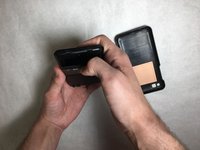
    • Pull on the indentation and take off the casing of the device.

  3. Trio Stealth-Mini Screen Replacement: 3 단계, 이미지 2개 중 1개 Trio Stealth-Mini Screen Replacement: 3 단계, 이미지 2개 중 2개
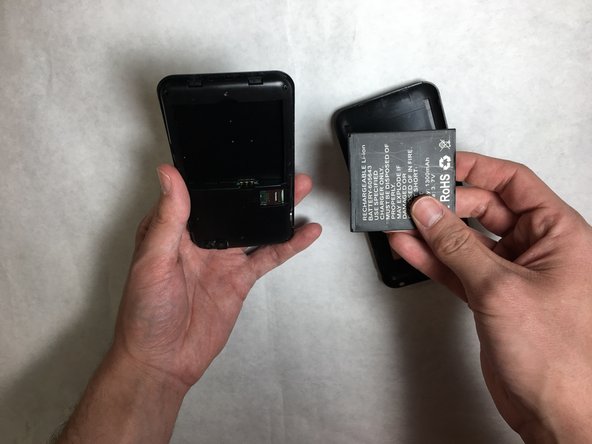
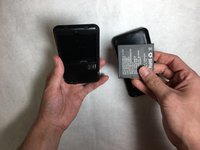
    • Remove the faulty battery and insert a replacement in its slot.

  4. Trio Stealth-Mini Screen Replacement, Screen: 4 단계, 이미지 1개 중 1개
    • Remove the six 2.4 mm, Phillips #0 screws circled in the image.

  5. Trio Stealth-Mini Screen Replacement: 5 단계, 이미지 1개 중 1개
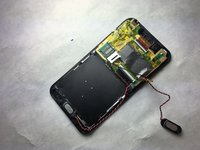
    • Remove inner casing exposing the motherboard.

  6. Trio Stealth-Mini Screen Replacement: 6 단계, 이미지 2개 중 1개 Trio Stealth-Mini Screen Replacement: 6 단계, 이미지 2개 중 2개
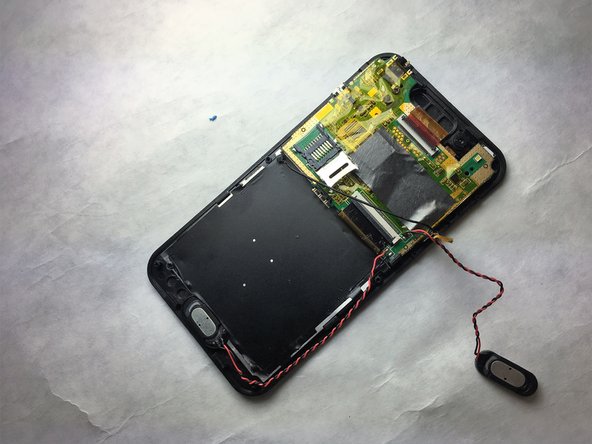
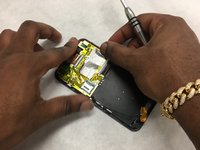
    • Remove speakers by peeling back yelllow tape.

  7. Trio Stealth-Mini Screen Replacement: 7 단계, 이미지 1개 중 1개
    • Remove ribbon cable on top of motherboard.

  8. Trio Stealth-Mini Screen Replacement: 8 단계, 이미지 1개 중 1개
    • Peeling back yellow tape, remove the 2.5 mm Phillips #0 screws on top of motherboard.

  9. Trio Stealth-Mini Screen Replacement: 9 단계, 이미지 1개 중 1개
    • Remove the three 2.5 mm Phillips #0 screws attaching screen to main assembly.

  10. Trio Stealth-Mini Screen Replacement: 10 단계, 이미지 1개 중 1개
    • Verify that all screws are detached from screen.

  11. Trio Stealth-Mini Screen Replacement: 11 단계, 이미지 1개 중 1개
    • Detach screen from main assembly.

결론

To reassemble your device, follow these instructions in reverse order.

작성자

2다른 기여자 명과 함께

Stewart Jenkins

회원 가입일: 03/26/18

207 평판

안내서 1개를 작성함

IUPUI, Team S1-G1, Harley Spring 2018 IUPUI, Team S1-G1, Harley Spring 2018 회원

IUPUI-HARLEY-S18S1G1

7 회원들

안내서 6개를 작성함

1가이드 댓글

How can I do step 5? Do i need to push on the rectangle slots? It’s not very descriptive.

Nick “Blue” Wong - 답글 공유

댓글 쓰기

조회 통계:

지난 24시간: 0

지난 7일: 10

지난 30일: 50

전체 시간: 456