주요 콘텐츠로 건너뛰기

Turtle Beach Elite Pro Right Speaker Replacement

필요한 것

  1. Turtle Beach Elite Pro Right Speaker Replacement, Ear Cushions: 1 단계, 이미지 1개 중 1개
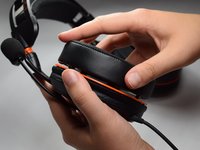
    • Firmly pinch ear cushion between thumb and forefinger.

    • Using the hand not holding the ear cushion, grasp the orange plate that is below the ear cushion.

    • If the black rubber lining on the orange plate is grasped, then the rubber lining on the ear piece may tear.

  2. Turtle Beach Elite Pro Right Speaker Replacement: 2 단계, 이미지 2개 중 1개 Turtle Beach Elite Pro Right Speaker Replacement: 2 단계, 이미지 2개 중 2개
    • Rotate ear cushion counter-clockwise about half an inch.

    • The ear cushion should audibly snap out of place.

    • After it has audibly snapped out of place, lift the ear cushion off of the device.

    • During reassembly, rotate the ear cushion clockwise.

  3. Turtle Beach Elite Pro Right Speaker Replacement: 3 단계, 이미지 2개 중 1개 Turtle Beach Elite Pro Right Speaker Replacement: 3 단계, 이미지 2개 중 2개
    • Using the new cushion, align the pegs located on both the orange plate and ear cushion.

    • Make sure that both the ear cushion and the orange plate have the same designation.

    • Once the pegs are aligned, push the new ear cushion in place.

  4. Turtle Beach Elite Pro Right Speaker Replacement, Right Speaker: 4 단계, 이미지 1개 중 1개
    • Remove the right ear cushion.

    • The right ear piece does not have any additional attachments.

  5. Turtle Beach Elite Pro Right Speaker Replacement: 5 단계, 이미지 1개 중 1개
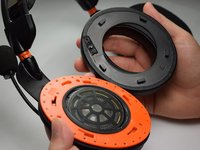
    • Using the Phillips #0 screwdriver, remove the 6.0 mm screws on the orange plate.

  6. Turtle Beach Elite Pro Right Speaker Replacement: 6 단계, 이미지 2개 중 1개 Turtle Beach Elite Pro Right Speaker Replacement: 6 단계, 이미지 2개 중 2개
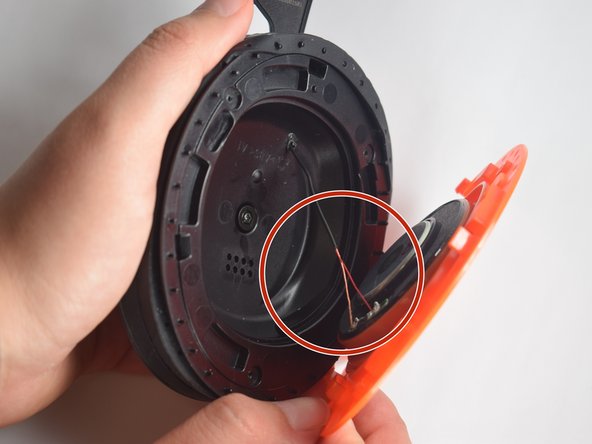
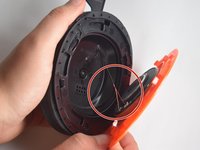
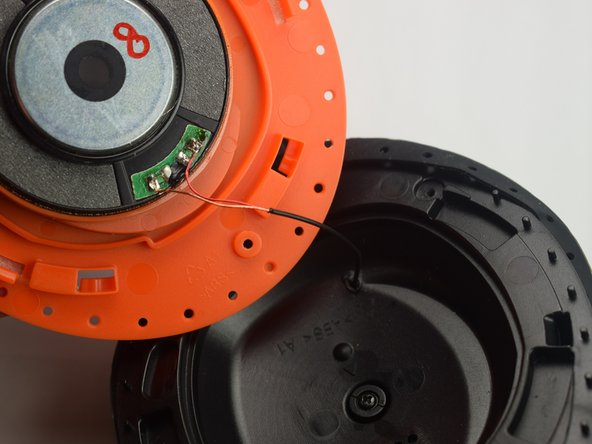
    • Use the opening tool to separate the orange plate from the black base plate.

    • Focus on the wires that are connected to the speaker.

  7. Turtle Beach Elite Pro Right Speaker Replacement: 7 단계, 이미지 1개 중 1개
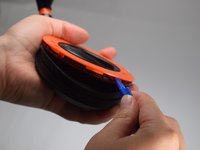
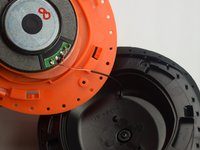
    • Cut the two wires that are attached to the speaker.

    • Cut the wires as close to the speaker as possible. These wires will be used in the next step.

  8. Turtle Beach Elite Pro Right Speaker Replacement: 8 단계, 이미지 2개 중 1개 Turtle Beach Elite Pro Right Speaker Replacement: 8 단계, 이미지 2개 중 2개
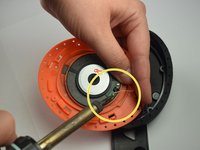
    • Replace the old speaker with the new speaker.

    • Using the soldering iron, solder the wires to the new speaker.

    • Make sure to solder the wires to their original locations on the speaker.

결론

To reassemble your device, follow these instructions in reverse order.

다른 한 분이 해당 안내서를 완성하였습니다.

작성자

3다른 기여자 명과 함께

Alexis Uribe

회원 가입일: 03/24/17

510 평판

안내서 4개를 작성함

Baylor, Team S5-G1, Williams Spring 2017 Baylor, Team S5-G1, Williams Spring 2017 회원

BU-WILLIAMS-S17S5G1

3 회원들

안내서 8개를 작성함

0가이드 댓글

댓글 쓰기

조회 통계:

지난 24시간: 0

지난 7일: 0

지난 30일: 8

전체 시간: 1,122