주요 콘텐츠로 건너뛰기

Visual Land Prestige 10 Back Case Replacement

필요한 것

  1. Visual Land Prestige 10 Back Case Replacement, Back Case: 1 단계, 이미지 3개 중 1개 Visual Land Prestige 10 Back Case Replacement, Back Case: 1 단계, 이미지 3개 중 2개 Visual Land Prestige 10 Back Case Replacement, Back Case: 1 단계, 이미지 3개 중 3개
    이 단계에 사용된 도구:
    Magnetic Project Mat
    $19.95
    • Remove the 3mm screws from bottom of tablet with the precision screwdriver and place on magnetic mat. label where they came from.

    • All screws throughout this guide are the same 3mm size.

  2. Visual Land Prestige 10 Back Case Replacement: 2 단계, 이미지 3개 중 1개 Visual Land Prestige 10 Back Case Replacement: 2 단계, 이미지 3개 중 2개 Visual Land Prestige 10 Back Case Replacement: 2 단계, 이미지 3개 중 3개
    • Using the spudger, create a small opening to be used to open the back case.

    • While holding the case open, insert the plastic opening tool to get a larger opening.

    • Once you have a slight opening, insert the spudger and work around the edges, separating the back plate from the front.

  3. Visual Land Prestige 10 Back Case Replacement: 3 단계, 이미지 3개 중 1개 Visual Land Prestige 10 Back Case Replacement: 3 단계, 이미지 3개 중 2개 Visual Land Prestige 10 Back Case Replacement: 3 단계, 이미지 3개 중 3개
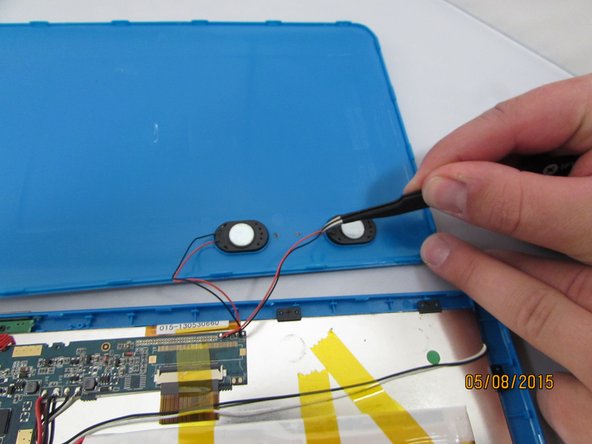
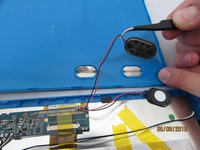
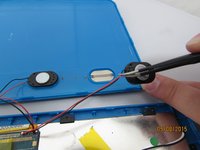
    • now that the case is open, carefully remove the speakers and set aside.

  4. Visual Land Prestige 10 Back Case Replacement: 4 단계, 이미지 2개 중 1개 Visual Land Prestige 10 Back Case Replacement: 4 단계, 이미지 2개 중 2개
    이 단계에 사용된 도구:
    Tweezers
    $4.99
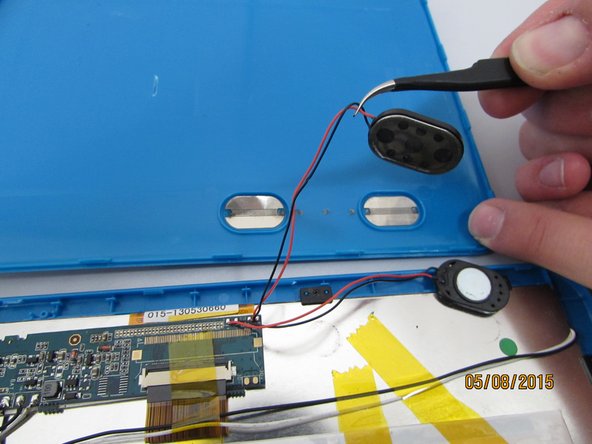
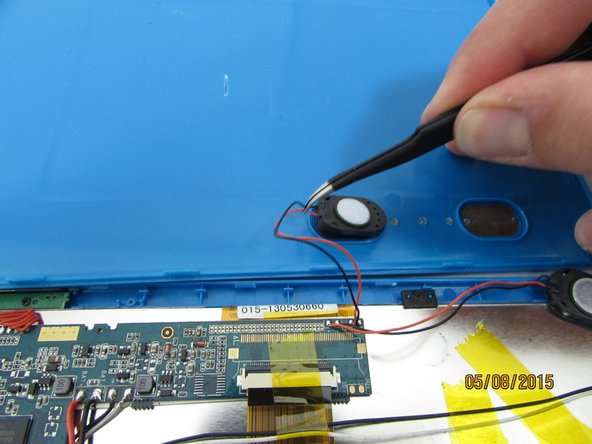
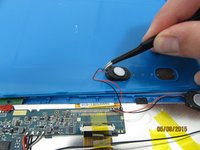
    • Gently remove the speakers from the back case with tweezers and set the case aside.

결론

To reassemble your device, follow these instructions in reverse order.

작성자

2다른 기여자 명과 함께

Connor Reese

회원 가입일: 04/08/15

1,298 평판

안내서 6개를 작성함

1가이드 댓글

Ok but where to I go to buy the replacement for the screen? This is directing us to take apart and reassemble the tablet, but not where to buy or get a new screen.

Jordyn Glenn - 답글

댓글 쓰기

조회 통계:

지난 24시간: 0

지난 7일: 2

지난 30일: 15

전체 시간: 1,521