주요 콘텐츠로 건너뛰기
수리 커뮤니티 가입 - 계정 만들기

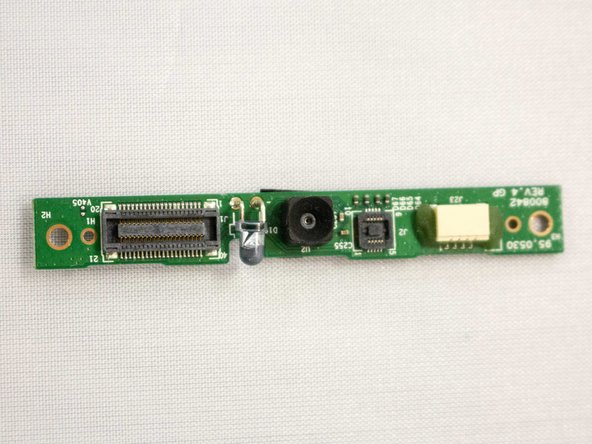
Vizio VTAB1008 Front Facing Camera Replacement

필요한 것

  1. Vizio VTAB1008 Front Facing Camera Replacement, Vizio VTAB1008 Back Cover Removal: 1 단계, 이미지 2개 중 1개 Vizio VTAB1008 Front Facing Camera Replacement, Vizio VTAB1008 Back Cover Removal: 1 단계, 이미지 2개 중 2개
    • Carefully slide the heavy duty opening tool between the gap on the side of the device with no buttons.

    • Do not insert the opening tool too far into the tablet as this can damage connectors close to edges of the cover.

    • The angled tip of the opening tool can be wedged into the device by pressing on the back of the opening tool with the thumb. Move the opening tool in a sliding motion to ensure all tabs separate.

    • Corner tabs may require a more forceful prying tool. If needed, carefully insert the metal prying tool into corners to separate the tabs.

  2. Vizio VTAB1008 Front Facing Camera Replacement: 2 단계, 이미지 1개 중 1개
    • Look into the tablet for loose connectors.

    • There are three loose connectors: one for the screen, one for the digitizer, and one for the motherboard. They are held in place by the pressure of the backing and screen assemblies.

    • Flip the backing from the button-less side over, being careful not to separate the ribbon connector from the display screen.

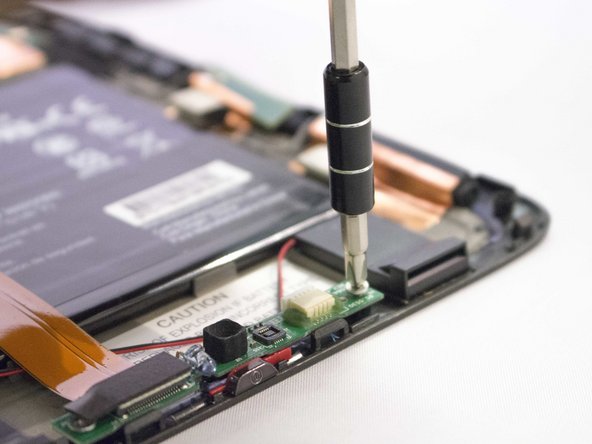
  3. Vizio VTAB1008 Front Facing Camera Replacement, Front Facing Camera and Light Sensor Board: 3 단계, 이미지 2개 중 1개 Vizio VTAB1008 Front Facing Camera Replacement, Front Facing Camera and Light Sensor Board: 3 단계, 이미지 2개 중 2개
    • Remove the screw with the J1 screwdriver or screw bit.

    • The screw has a 3.66 mm head and is 3.5 mm tall.

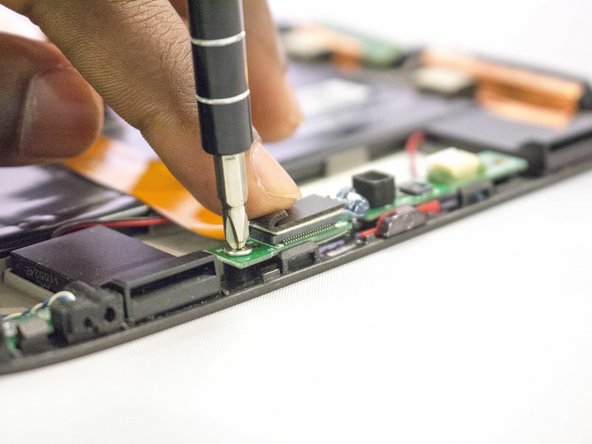
  4. Vizio VTAB1008 Front Facing Camera Replacement: 4 단계, 이미지 3개 중 1개 Vizio VTAB1008 Front Facing Camera Replacement: 4 단계, 이미지 3개 중 2개 Vizio VTAB1008 Front Facing Camera Replacement: 4 단계, 이미지 3개 중 3개
    • Lift the flap hiding the second screw.

    • Remove the screw by using the J1 screwdriver.

    • The screw has a 3.66 mm head and is 3.5 mm tall.

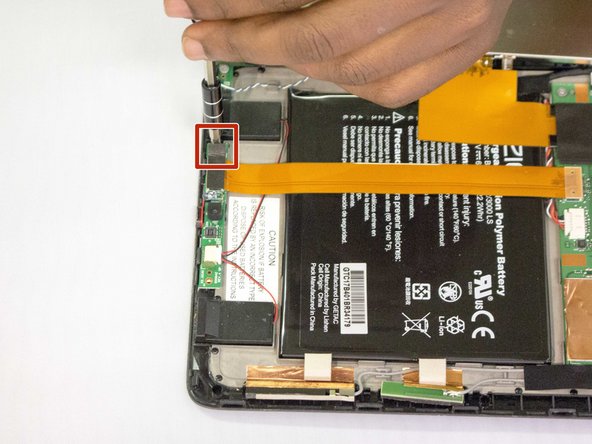
  5. Vizio VTAB1008 Front Facing Camera Replacement: 5 단계, 이미지 3개 중 1개 Vizio VTAB1008 Front Facing Camera Replacement: 5 단계, 이미지 3개 중 2개 Vizio VTAB1008 Front Facing Camera Replacement: 5 단계, 이미지 3개 중 3개
    이 단계에 사용된 도구:
    Tweezers
    $4.99
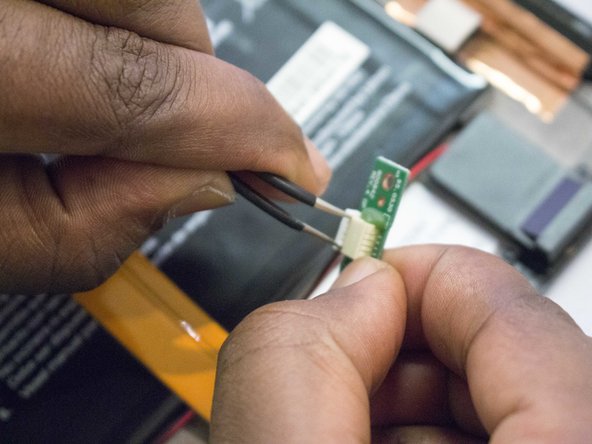
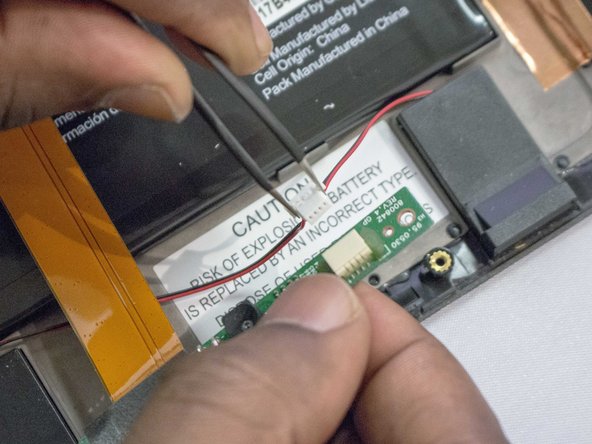
    • Disconnect the black and red cable connector from the camera strap.

    • Using tweezers may help to grab the small connector flanges.

  6. Vizio VTAB1008 Front Facing Camera Replacement: 6 단계, 이미지 3개 중 1개 Vizio VTAB1008 Front Facing Camera Replacement: 6 단계, 이미지 3개 중 2개 Vizio VTAB1008 Front Facing Camera Replacement: 6 단계, 이미지 3개 중 3개
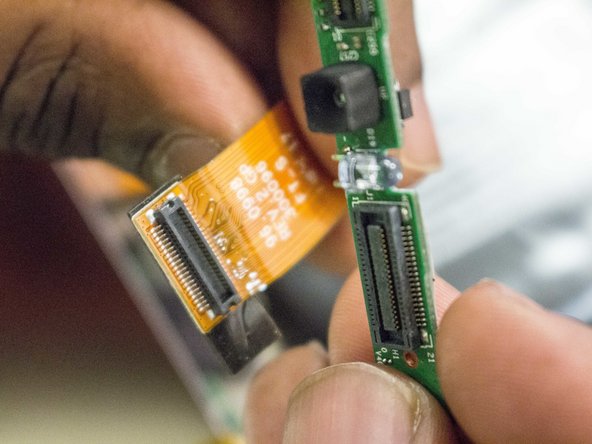
    • Disconnect the ribbon cable from the camera circuit board by lifting it away from the circuit board.

    • A spudger may help with leverage when removing the ribbon cable.

결론

To reassemble your device, follow these instructions in reverse order.

작성자

5다른 기여자 명과 함께

Gilberto Ambriz

회원 가입일: 09/29/16

552 평판

안내서 5개를 작성함

0가이드 댓글

댓글 쓰기

조회 통계:

지난 24시간: 0

지난 7일: 1

지난 30일: 17

전체 시간: 281