주요 콘텐츠로 건너뛰기

Vtech Move and Crawl Ball Motor Replacement

필요한 것

  1. Vtech Move and Crawl Ball Motor Replacement, Battery: 1 단계, 이미지 2개 중 1개 Vtech Move and Crawl Ball Motor Replacement, Battery: 1 단계, 이미지 2개 중 2개
    • There are two screws that require a 4.0mm flat head screwdriver. Twist them counter clockwise to remove. When you remove them they stay contained within the blue outer case.

  2. Vtech Move and Crawl Ball Motor Replacement: 2 단계, 이미지 3개 중 1개 Vtech Move and Crawl Ball Motor Replacement: 2 단계, 이미지 3개 중 2개 Vtech Move and Crawl Ball Motor Replacement: 2 단계, 이미지 3개 중 3개
    • Pry the batteries out with your finger. When you replace them be sure to orient them correctly according to the markings in the slots. Match the plus symbol on the battery to the plus symbol in the slot.

  3. Vtech Move and Crawl Ball Motor Replacement, Motor: 3 단계, 이미지 3개 중 1개 Vtech Move and Crawl Ball Motor Replacement, Motor: 3 단계, 이미지 3개 중 2개 Vtech Move and Crawl Ball Motor Replacement, Motor: 3 단계, 이미지 3개 중 3개
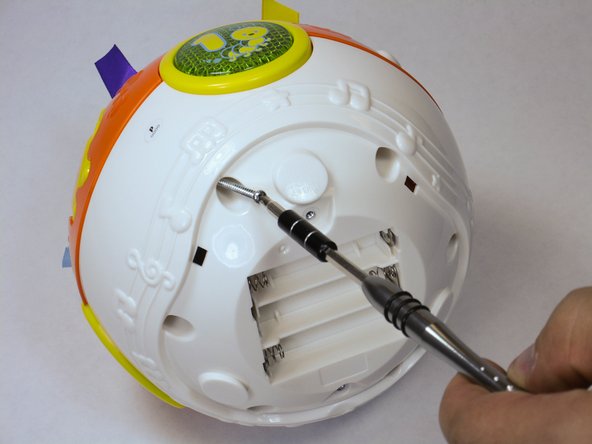
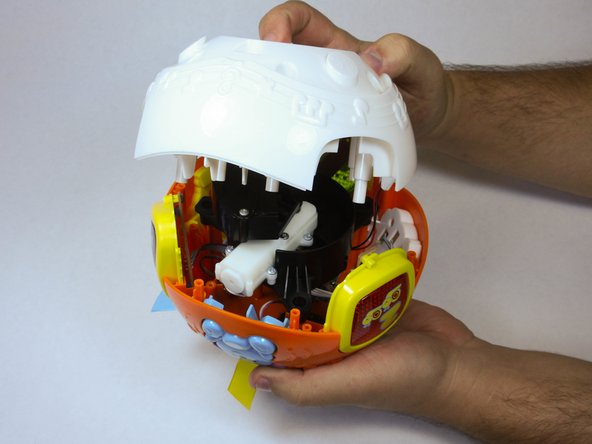
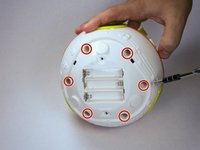
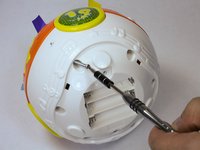
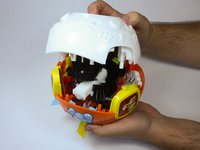
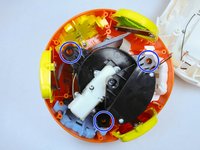
    • Remove 6 screws in order to pop off the outer shell and reach the inside components.

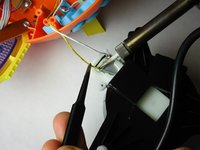
  4. Vtech Move and Crawl Ball Motor Replacement: 4 단계, 이미지 3개 중 1개 Vtech Move and Crawl Ball Motor Replacement: 4 단계, 이미지 3개 중 2개 Vtech Move and Crawl Ball Motor Replacement: 4 단계, 이미지 3개 중 3개
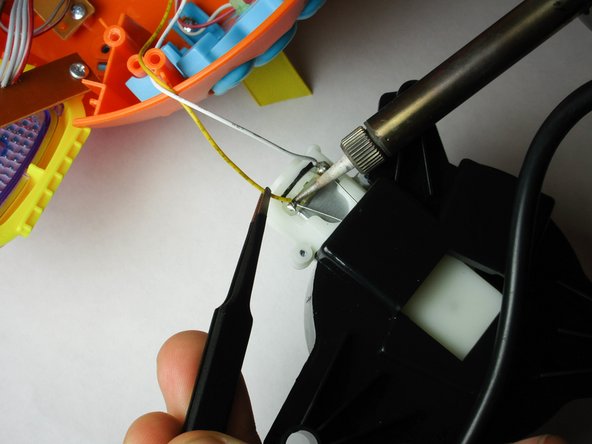
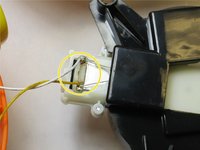
    • Remove the motor by lifting it out of the shell, and find the attached wires at both ends: the circuit board and the motor itself. Use the soldering iron to remove the existing attachments by heating the solder joint with the solder iron tip while pulling on the wire.

    • Make sure the motor is aligned over the correct holes during reassembly.

결론

To reassemble your device, follow these instructions in reverse order.

다른 한 분이 해당 안내서를 완성하였습니다.

작성자

3다른 기여자 명과 함께

William Jones

회원 가입일: 09/04/15

222 평판

안내서 2개를 작성함

USF Tampa, Team 2-1, Sullivan Fall 2015 USF Tampa, Team 2-1, Sullivan Fall 2015 회원

USFT-SULLIVAN-F15S2G1

4 회원들

안내서 10개를 작성함

0가이드 댓글

댓글 쓰기

조회 통계:

지난 24시간: 1

지난 7일: 3

지난 30일: 6

전체 시간: 1,722