주요 콘텐츠로 건너뛰기

WowWee MiP Robot Speaker Replacement

필요한 것

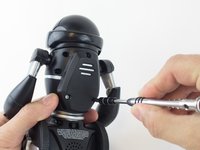
  1. WowWee MiP Robot  Speaker Replacement, Battery: 1 단계, 이미지 2개 중 1개 WowWee MiP Robot  Speaker Replacement, Battery: 1 단계, 이미지 2개 중 2개
    • Remove the three 12.0 mm Phillips # 2 screws from the battery cover.

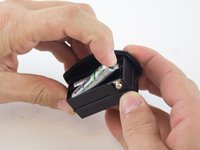
  2. WowWee MiP Robot  Speaker Replacement: 2 단계, 이미지 2개 중 1개 WowWee MiP Robot  Speaker Replacement: 2 단계, 이미지 2개 중 2개
    • Carefully pull the battery pack from the robot.

    • Remove the batteries from the battery pack.

  3. WowWee MiP Robot  Speaker Replacement, Wheel: 3 단계, 이미지 2개 중 1개 WowWee MiP Robot  Speaker Replacement, Wheel: 3 단계, 이미지 2개 중 2개
    • Use a metal spudger to carefully pry off the hubcap without marring the plastic wheel or hubcap.

    • This plastic material is not replaceable. Any damage will be noticeable.

  4. WowWee MiP Robot  Speaker Replacement: 4 단계, 이미지 2개 중 1개 WowWee MiP Robot  Speaker Replacement: 4 단계, 이미지 2개 중 2개
    • Remove the 12.0 mm Phillips #2 screw.

    • Hold the wheel in place, or it will rotate as you attempt to remove the screw.

  5. WowWee MiP Robot  Speaker Replacement: 5 단계, 이미지 1개 중 1개
    • Pull the wheel off of the square axle.

    • Do not use excessive force while removing the wheel. Pulling too hard on the wheel can damage the axle.

  6. WowWee MiP Robot  Speaker Replacement, WowWee MiP Robot Body Disassembly: 6 단계, 이미지 2개 중 1개 WowWee MiP Robot  Speaker Replacement, WowWee MiP Robot Body Disassembly: 6 단계, 이미지 2개 중 2개
    • Remove the eight 9.3 mm Phillips #1 screws from the back of the robot.

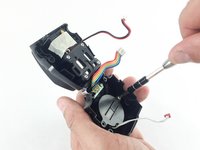
  7. WowWee MiP Robot  Speaker Replacement: 7 단계, 이미지 3개 중 1개 WowWee MiP Robot  Speaker Replacement: 7 단계, 이미지 3개 중 2개 WowWee MiP Robot  Speaker Replacement: 7 단계, 이미지 3개 중 3개
    • Remove the arms from the body.

    • Carefully open the body compartment.

    • Open the compartment slowly. There are wires connecting the two body pieces together. If pulled too hard, the wires and/or the motherboard could be damaged.

  8. WowWee MiP Robot  Speaker Replacement: 8 단계, 이미지 1개 중 1개
    이 단계에 사용된 도구:
    Tweezers
    $4.99
    • Using precision tweezers, disconnect the following three bundles of wires:

    • Connecting the battery pack to the motherboard.

    • Connecting the power switch to the motherboard.

    • Connecting the speaker to the motherboard.

  9. WowWee MiP Robot  Speaker Replacement, Speaker: 9 단계, 이미지 2개 중 1개 WowWee MiP Robot  Speaker Replacement, Speaker: 9 단계, 이미지 2개 중 2개
    • Remove the two 7.5 mm Phillips #1 screws holding the speaker bracket in place.

  10. WowWee MiP Robot  Speaker Replacement: 10 단계, 이미지 1개 중 1개
    • Remove the plastic bracket covering the speaker.

  11. WowWee MiP Robot  Speaker Replacement: 11 단계, 이미지 1개 중 1개
    • Gently remove the speaker from the MiP.

    • During reassembly, be sure to place the speaker in the same position.

결론

To reassemble your device, follow these instructions in reverse order.

작성자

3다른 기여자 명과 함께

Daniel Burkholder

회원 가입일: 02/16/16

623 평판

안내서 4개를 작성함

USF Tampa, Team 3-4, Wollert Spring 2016 USF Tampa, Team 3-4, Wollert Spring 2016 회원

USFT-WOLLERT-S16S3G4

4 회원들

안내서 10개를 작성함

0가이드 댓글

댓글 쓰기

조회 통계:

지난 24시간: 0

지난 7일: 2

지난 30일: 10

전체 시간: 673