주요 콘텐츠로 건너뛰기

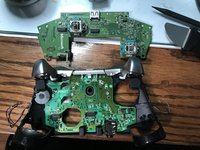
Xbox One Elite Controller (Model 1698) Daughterboard Replacement

필요한 것

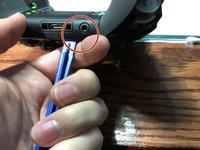
  1. Xbox One Elite Controller (Model 1698) Daughterboard Replacement, Show me the Screws!: 1 단계, 이미지 2개 중 1개 Xbox One Elite Controller (Model 1698) Daughterboard Replacement, Show me the Screws!: 1 단계, 이미지 2개 중 2개
    • You can remove the side panels with a pry tool.

    • You don't need to remove the rubber. The rubber on this controller was already bad.

  2. Xbox One Elite Controller (Model 1698) Daughterboard Replacement, Removing the back panel screws: 2 단계, 이미지 1개 중 1개
    • Remove the 5 Torx Security Bit (TR9) screws.

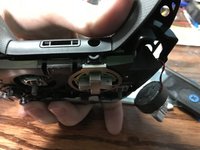
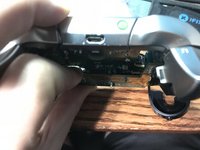
  3. Xbox One Elite Controller (Model 1698) Daughterboard Replacement, Popping that back panel off: 3 단계, 이미지 3개 중 1개 Xbox One Elite Controller (Model 1698) Daughterboard Replacement, Popping that back panel off: 3 단계, 이미지 3개 중 2개 Xbox One Elite Controller (Model 1698) Daughterboard Replacement, Popping that back panel off: 3 단계, 이미지 3개 중 3개
    • Pry the panel next to the 3.5mm port.

    • Be careful to not rip the ribbon shown in the next step.

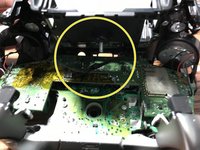
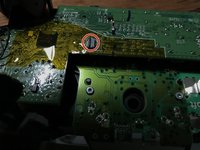
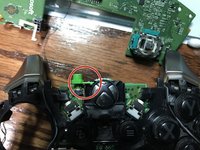
  4. Xbox One Elite Controller (Model 1698) Daughterboard Replacement, Warning Carefully remove the ribbon: 4 단계, 이미지 2개 중 1개 Xbox One Elite Controller (Model 1698) Daughterboard Replacement, Warning Carefully remove the ribbon: 4 단계, 이미지 2개 중 2개
    • Be careful to not rip the ribbon cable.

    • You can pop the connector up to remove the ribbon easily.

    • Ribbon Cable

  5. Xbox One Elite Controller (Model 1698) Daughterboard Replacement, Screws on controller motherboard: 5 단계, 이미지 1개 중 1개
    • Remove the 2 Torx (T6) screws.

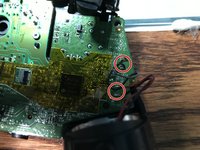
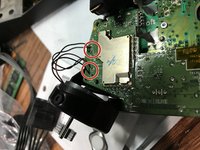
  6. Xbox One Elite Controller (Model 1698) Daughterboard Replacement, Desolder wires from motherboard: 6 단계, 이미지 2개 중 1개 Xbox One Elite Controller (Model 1698) Daughterboard Replacement, Desolder wires from motherboard: 6 단계, 이미지 2개 중 2개
    • Desolder the 4 wires on each side, these control the vibrations and the RT LT.

  7. Xbox One Elite Controller (Model 1698) Daughterboard Replacement, Remove the motherboard: 7 단계, 이미지 2개 중 1개 Xbox One Elite Controller (Model 1698) Daughterboard Replacement, Remove the motherboard: 7 단계, 이미지 2개 중 2개
    • Pull up from the "top" side of the controller on the daughterboard.

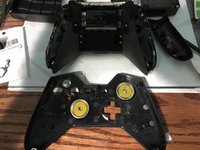
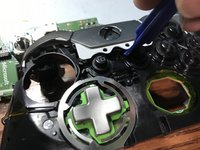
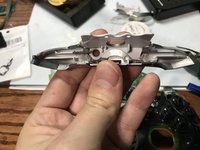
  8. Xbox One Elite Controller (Model 1698) Daughterboard Replacement, Remove the Home Button Cover: 8 단계, 이미지 3개 중 1개 Xbox One Elite Controller (Model 1698) Daughterboard Replacement, Remove the Home Button Cover: 8 단계, 이미지 3개 중 2개 Xbox One Elite Controller (Model 1698) Daughterboard Replacement, Remove the Home Button Cover: 8 단계, 이미지 3개 중 3개
    • Be Careful to not lose the sync button.

    • Pry the middle section up from the home button side.

    • This will also remove the LB and RB which is a single part.

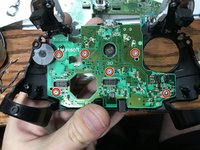
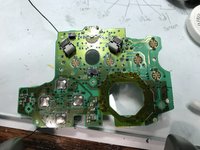
  9. Xbox One Elite Controller (Model 1698) Daughterboard Replacement, Remove the controller daughterboard: 9 단계, 이미지 2개 중 1개 Xbox One Elite Controller (Model 1698) Daughterboard Replacement, Remove the controller daughterboard: 9 단계, 이미지 2개 중 2개
    • Unscrew the 6 Torx (T6) screws.

결론

To reassemble your device, follow these instructions in reverse order.

다른 3명이 해당 안내서를 완성하였습니다.

작성자

4다른 기여자 명과 함께

EasyAsABC123

회원 가입일: 01/22/10

2,491 평판

안내서 5개를 작성함

1가이드 댓글

Hola que tal amigo disculpa es posible sustituir esa misma placa por una de un mando one ?

tay redd - 답글

댓글 쓰기

조회 통계:

지난 24시간: 5

지난 7일: 18

지난 30일: 85

전체 시간: 9,878