주요 콘텐츠로 건너뛰기

Xserve G5 CD Drive Replacement

필요한 것

  1. Xserve G5 CD Drive Replacement, CD/DVD drive: 1 단계, 이미지 1개 중 1개
    • Here's my dead Xserve G5. I need a new power supply for it. So he will serve for the demo.

  2. Xserve G5 CD Drive Replacement: 2 단계, 이미지 1개 중 1개
    • Unscrew the two screws.

  3. Xserve G5 CD Drive Replacement: 3 단계, 이미지 1개 중 1개
    • Remove the top of the server. You will have something like this.

  4. Xserve G5 CD Drive Replacement: 4 단계, 이미지 1개 중 1개
    • Hello little CD drive ! It's retirement time !

  5. Xserve G5 CD Drive Replacement: 5 단계, 이미지 2개 중 1개 Xserve G5 CD Drive Replacement: 5 단계, 이미지 2개 중 2개
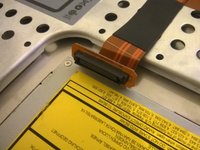
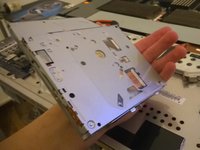
    • Disconnect the cable.

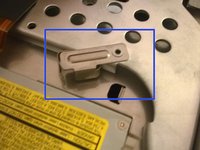
    • Push the little metal thing to the left to unsecure the CD drive.

  6. Xserve G5 CD Drive Replacement: 6 단계, 이미지 3개 중 1개 Xserve G5 CD Drive Replacement: 6 단계, 이미지 3개 중 2개 Xserve G5 CD Drive Replacement: 6 단계, 이미지 3개 중 3개
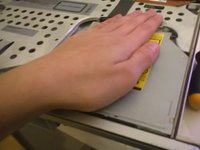
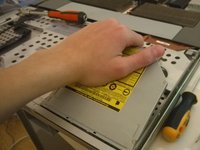
    • Push the drive

    • Pull the drive.

    • And finally, take the drive !

결론

To reassemble your device, follow these instructions in reverse order.

다른 7명이 해당 안내서를 완성하였습니다.

alphaLONE

회원 가입일: 07/01/11

975 평판

안내서 3개를 작성함

2가이드 댓글

Great explanation!

subscriber - 답글

Thanks for the input! I sadly don't have the blade anymore and can't make other, more detailed guides about other components, but I'm still impressed people liked this one.

alphaLONE -

댓글 쓰기

조회 통계:

지난 24시간: 0

지난 7일: 7

지난 30일: 28

전체 시간: 4,677