주요 콘텐츠로 건너뛰기

iFixit Side Stack Retail Display Assembly

  1. iFixit Side Stack Retail Display Assembly, Empty Box Components: 1 단계, 이미지 1개 중 1개
    • Box should include:

    • Set of screws/driver

    • Metal rods

    • Honeycomb Base/Feet

    • Main stand (back/sides)

    • Two large, one small foldable shelf insert

    • Two large, one small black rectangular insert

    • "You can fix it" panel and iFixit topper (not pictured)

  2. iFixit Side Stack Retail Display Assembly, Build Honeycomb Base: 2 단계, 이미지 3개 중 1개 iFixit Side Stack Retail Display Assembly, Build Honeycomb Base: 2 단계, 이미지 3개 중 2개 iFixit Side Stack Retail Display Assembly, Build Honeycomb Base: 2 단계, 이미지 3개 중 3개
    • The three angled supports fit into the two rectangular supports.

    • Place the fully constructed honeycomb base into the display.

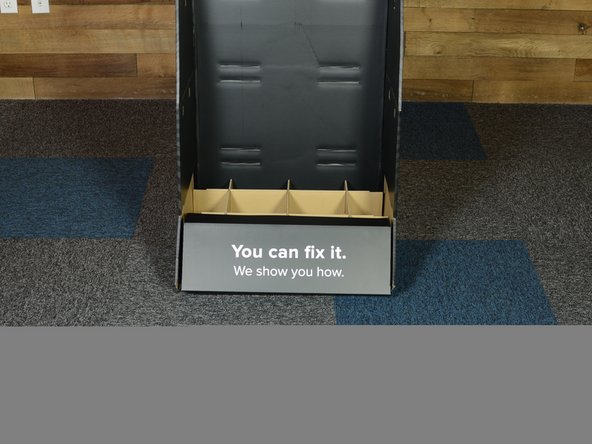
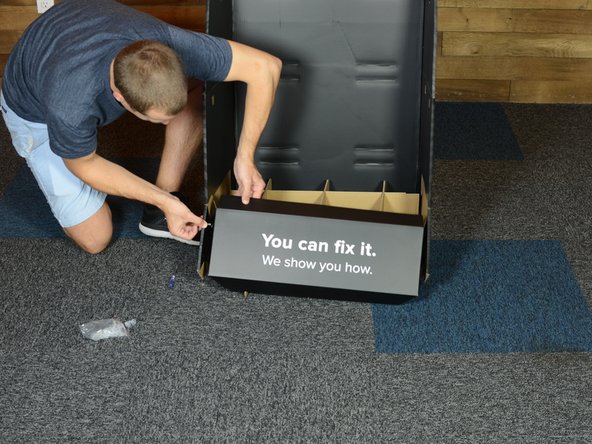
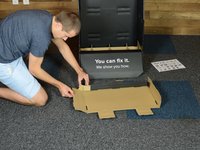
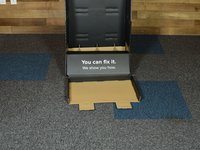
  3. iFixit Side Stack Retail Display Assembly, "You can fix it": 3 단계, 이미지 3개 중 1개 iFixit Side Stack Retail Display Assembly, "You can fix it": 3 단계, 이미지 3개 중 2개 iFixit Side Stack Retail Display Assembly, "You can fix it": 3 단계, 이미지 3개 중 3개
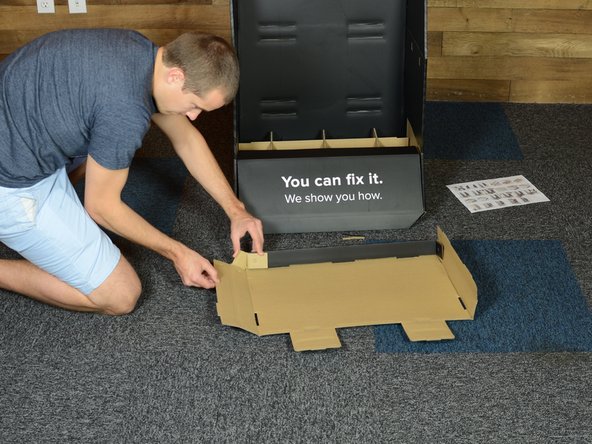
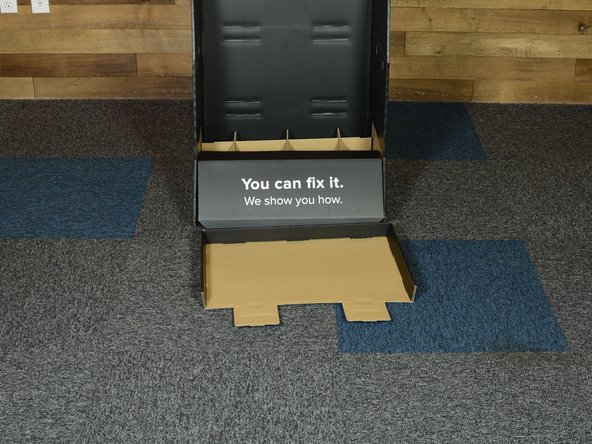
    • Fit “You can fix it” panel over front of honeycomb base

    • “You can fix it” panel sides fit INSIDE of base walls

    • Use screws to fasten

  4. iFixit Side Stack Retail Display Assembly, Build Shelf Insert: 4 단계, 이미지 3개 중 1개 iFixit Side Stack Retail Display Assembly, Build Shelf Insert: 4 단계, 이미지 3개 중 2개 iFixit Side Stack Retail Display Assembly, Build Shelf Insert: 4 단계, 이미지 3개 중 3개
    • Build bottom shelf, using one of two larger foldable shelves

    • Tabs fit together, fit side tabs along back, then fold over and secure

  5. iFixit Side Stack Retail Display Assembly, Install Metal Supports: 5 단계, 이미지 2개 중 1개 iFixit Side Stack Retail Display Assembly, Install Metal Supports: 5 단계, 이미지 2개 중 2개
    • Install two metal support for middle shelf

    • Metal rods fit into provided holes

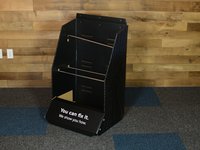
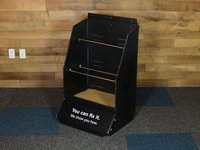
  6. iFixit Side Stack Retail Display Assembly, Insert Bottom Shelf: 6 단계, 이미지 3개 중 1개 iFixit Side Stack Retail Display Assembly, Insert Bottom Shelf: 6 단계, 이미지 3개 중 2개 iFixit Side Stack Retail Display Assembly, Insert Bottom Shelf: 6 단계, 이미지 3개 중 3개
    • Fit bottom shelf into bottom shelf slots cut into back of display

    • Tabs go out the back and then back in towards the front

    • Lay black shelf insert into shelf

    • Fit screws together to hold shelf in place

    • Repeat for middle and top shelves

    • Top shelf and insert are smaller than bottom and middle shelves

  7. iFixit Side Stack Retail Display Assembly, Fold Sides into Honeycomb Base: 7 단계, 이미지 1개 중 1개
    • Like so.

    • (Go Angels!)

  8. iFixit Side Stack Retail Display Assembly, iFixt Header Sign: 8 단계, 이미지 2개 중 1개 iFixit Side Stack Retail Display Assembly, iFixt Header Sign: 8 단계, 이미지 2개 중 2개
    • Fold top section down to make holes match

    • Align iFixit sign and install using screws

결론

To reassemble your device, follow these instructions in reverse order.

작성자

2다른 기여자 명과 함께

Eric Essen

회원 가입일: 06/04/10

18,012 평판

안내서 8개를 작성함

iFixit iFixit 회원

Staff

123 회원들

안내서 23,764개를 작성함

0가이드 댓글

댓글 쓰기

조회 통계:

지난 24시간: 0

지난 7일: 1

지난 30일: 6

전체 시간: 354