주요 콘텐츠로 건너뛰기

iHome iH8BR Motherboard Assembly Replacement

필요한 것

  1. iHome iH8BR Motherboard Assembly Replacement, Lower Case: 1 단계, 이미지 3개 중 1개 iHome iH8BR Motherboard Assembly Replacement, Lower Case: 1 단계, 이미지 3개 중 2개 iHome iH8BR Motherboard Assembly Replacement, Lower Case: 1 단계, 이미지 3개 중 3개
    • Unplug the device from the wall outlet, and turn it over so that the buttons are on a flat surface.

    • Use your fingers to pinch the tab in the direction of the "Open" arrow until tab is loose. Pull the tab vertically to remove it.

    • Remove the battery cover and the batteries.

  2. iHome iH8BR Motherboard Assembly Replacement: 2 단계, 이미지 2개 중 1개 iHome iH8BR Motherboard Assembly Replacement: 2 단계, 이미지 2개 중 2개
    • Slide a spudger under the two front rubber pads to expose two hidden screws.

  3. iHome iH8BR Motherboard Assembly Replacement: 3 단계, 이미지 1개 중 1개
    • Remove the following eight screws:

    • Four 15.1 mm Phillips #2 screws near the front of the device.

    • Four 12.7 mm Phillips #2 screws near the back of the device.

    • The slots for the four 12.7 mm screws are very narrow, so you will need a slender, Phillips #2 screwdriver that does not feature replaceable heads in order to reach them.

  4. iHome iH8BR Motherboard Assembly Replacement: 4 단계, 이미지 2개 중 1개 iHome iH8BR Motherboard Assembly Replacement: 4 단계, 이미지 2개 중 2개
    이 단계에 사용된 도구:
    Tweezers
    $4.99
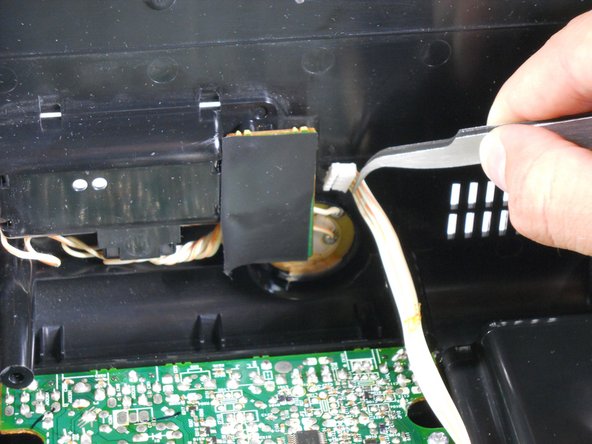
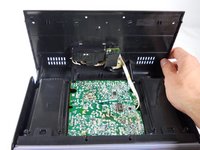
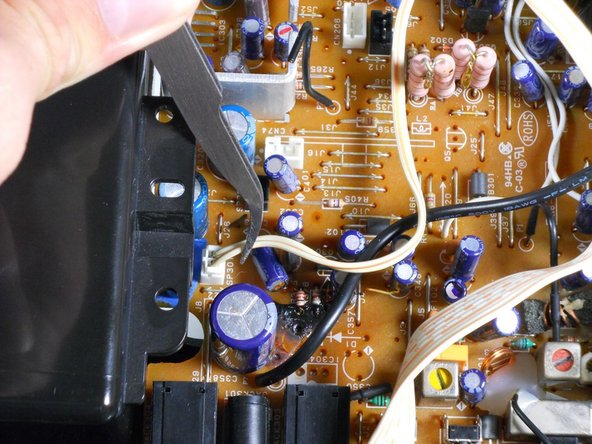
    • Turn the iHome 180 degrees so the speaker grille is facing you. Carefully lift the bottom case away from the rest of the body and tilt it as shown.

    • Be careful and do not yank the bottom case. A white ribbon wire is the only thing that connects the bottom case to the rest of the device.

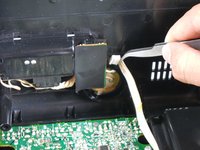
    • Using a pair of tweezers, detach the white ribbon cable. Make sure to pull on the ribbon, not on the head.

    • The lower case can now be completely removed from the device!

  5. iHome iH8BR Motherboard Assembly Replacement, Motherboard Assembly: 5 단계, 이미지 2개 중 1개 iHome iH8BR Motherboard Assembly Replacement, Motherboard Assembly: 5 단계, 이미지 2개 중 2개
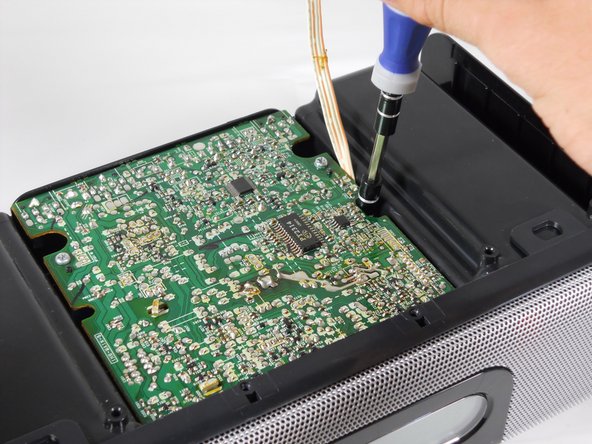
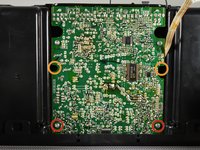
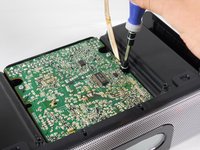
    • Remove the four screws attaching the top of the case to the motherboard:

    • Two 9.5 mm Phillips #2 screws near the speaker grille.

    • Two 14.3 mm Phillips #2 screws that sit in recesses under the motherboard.

    • It is useful to use a screwdriver with a magnetic tip so that the screws don't get lost inside the device.

  6. iHome iH8BR Motherboard Assembly Replacement: 6 단계, 이미지 2개 중 1개 iHome iH8BR Motherboard Assembly Replacement: 6 단계, 이미지 2개 중 2개
    • Turn the iHome 180 degrees and carefully pull up on speaker cases to pry them loose from the bottom case.

    • Prying the Motherboard Assembly from the Upper Case will require a good amount of force. Be very careful not to break the case, or yank on any of the ribbon wires attached to the underside.

    • Pulling outwards on the sides of the Upper Casing can help loosen the assembly.

    • If it seems too difficult to remove, chances are that a screw is still attached. Make sure you've removed every screw listed before proceeding to this step.

    • Pull the back adapter cover off.

  7. iHome iH8BR Motherboard Assembly Replacement: 7 단계, 이미지 2개 중 1개 iHome iH8BR Motherboard Assembly Replacement: 7 단계, 이미지 2개 중 2개
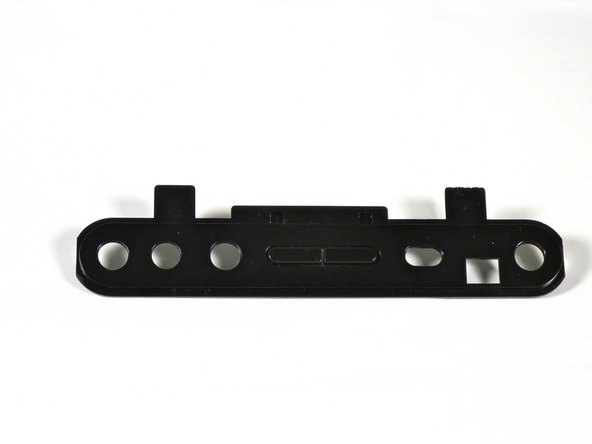
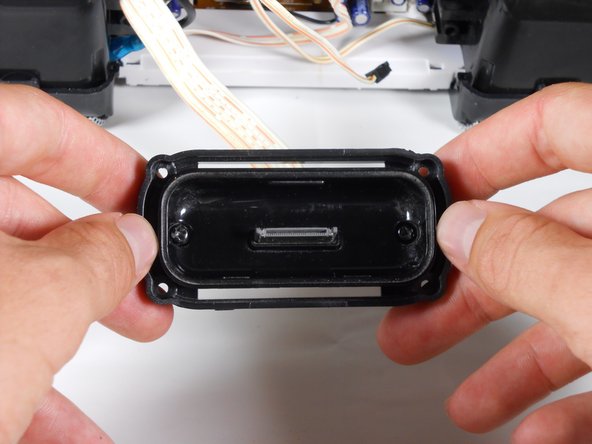
    • Remove the four 6.4 mm Phillips #1 screws holding the adapter to the outer case.

    • Only remove the following screws if you are planning on taking apart the iPod Adapter later on:

    • Two 6.4 mm Phillips #1 screws near the center of the adapter. These screws have built in washers.

    • One 4.0 mm Phillips #1 screw near the center of the adapter.

    • The iPod adapter should now be separate from the upper casing.

  8. iHome iH8BR Motherboard Assembly Replacement: 8 단계, 이미지 3개 중 1개 iHome iH8BR Motherboard Assembly Replacement: 8 단계, 이미지 3개 중 2개 iHome iH8BR Motherboard Assembly Replacement: 8 단계, 이미지 3개 중 3개
    이 단계에 사용된 도구:
    Tweezers
    $4.99
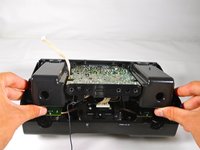
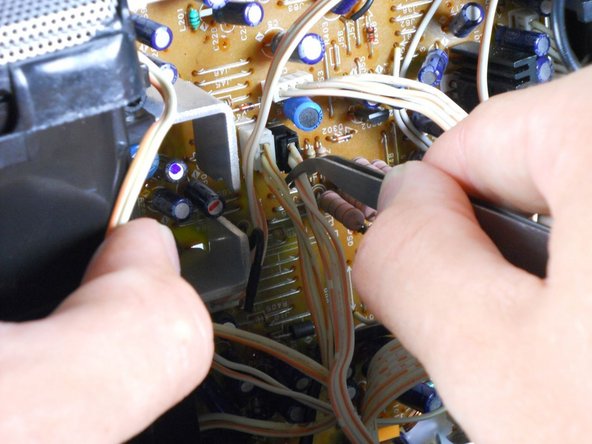
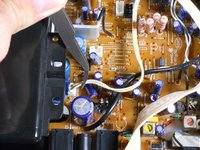
    • With the back of the iHome is facing you, tilt the Motherboard Assembly upwards as shown.

    • Do not yank or jerk these ribbon cables. Make sure not to pull on the heads, but on the ribbons themselves.

    • Use tweezers to remove the 6 ribbon cables.

  9. iHome iH8BR Motherboard Assembly Replacement: 9 단계, 이미지 1개 중 1개
    • Pull the speakers, motherboard, and iPod adapter up and away from the lower casing.

    • You have now separated your iHome's inner workings from its protective case!

결론

To reassemble your device, follow these instructions in reverse order.

다른 한 분이 해당 안내서를 완성하였습니다.

작성자

4다른 기여자 명과 함께

cfredric

회원 가입일: 04/17/13

70 평판

안내서 6개를 작성함

Cal Poly, Team 12-33, Amido Spring 2013 Cal Poly, Team 12-33, Amido Spring 2013 회원

CPSU-AMIDO-S13S12G33

4 회원들

안내서 7개를 작성함

0가이드 댓글

댓글 쓰기

조회 통계:

지난 24시간: 0

지난 7일: 3

지난 30일: 16

전체 시간: 972