주요 콘텐츠로 건너뛰기

iNNEXT N64 Classic Controller Joystick Cover Replacement

필요한 것

  1. iNNEXT N64 Classic Controller Joystick Cover Replacement, Bottom Case: 1 단계, 이미지 2개 중 1개 iNNEXT N64 Classic Controller Joystick Cover Replacement, Bottom Case: 1 단계, 이미지 2개 중 2개
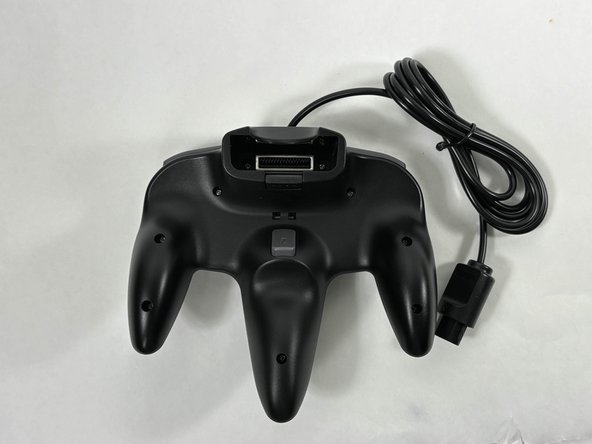
    • Turn the controller face down.

    • Use a Phillips #00 screwdriver to remove the eight screws on the back of the controller.

  2. iNNEXT N64 Classic Controller Joystick Cover Replacement: 2 단계, 이미지 1개 중 1개
    • Insert an opening tool into the seam between the top and bottom case.

    • Work your way around edge of the controller to release the tabs connecting the top and bottom of the controller.

    • Remove the bottom case from the controller.

  3. iNNEXT N64 Classic Controller Joystick Cover Replacement, Shoulder Buttons: 3 단계, 이미지 2개 중 1개 iNNEXT N64 Classic Controller Joystick Cover Replacement, Shoulder Buttons: 3 단계, 이미지 2개 중 2개
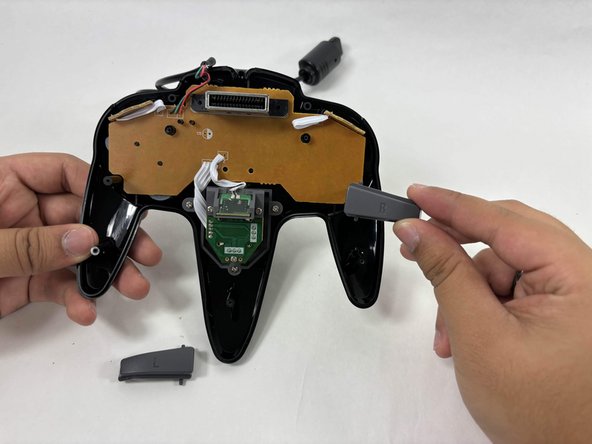
    • To remove the shoulder buttons, lift the buttons labelled with "L" and "R" upwards and out of the controller. There should not be any resistance coming out.

    • To add the new buttons, put the top notch of the shoulder buttons into the hole right above the control circuit. There should not be any resistance going in. Once done, you can put the back of the controller back on

  4. iNNEXT N64 Classic Controller Joystick Cover Replacement, Joystick Cover: 4 단계, 이미지 2개 중 1개 iNNEXT N64 Classic Controller Joystick Cover Replacement, Joystick Cover: 4 단계, 이미지 2개 중 2개
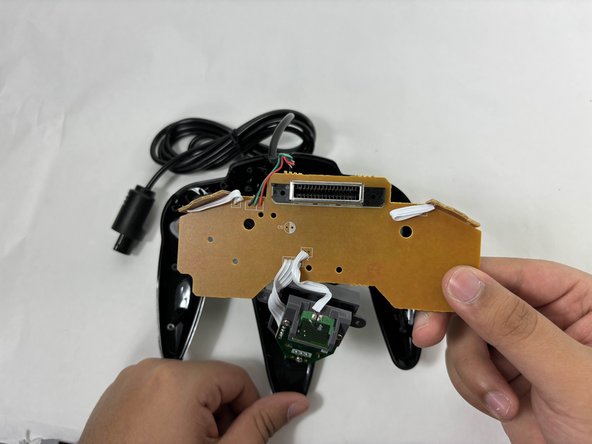
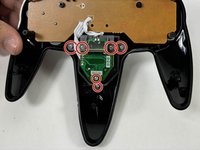
    • Use a Phillips screwdriver to remove the 6 screws securing the joystick assembly to the top of the controller.

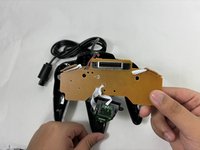
    • Gently lift the control panel and joystick assembly from the top cover of the controller.

    • Flip the control panel along with the attached joystick assembly over so that they are facing you.

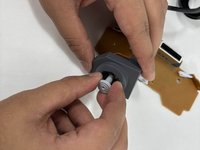
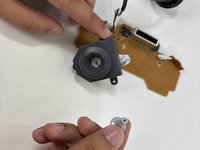
  5. iNNEXT N64 Classic Controller Joystick Cover Replacement: 5 단계, 이미지 2개 중 1개 iNNEXT N64 Classic Controller Joystick Cover Replacement: 5 단계, 이미지 2개 중 2개
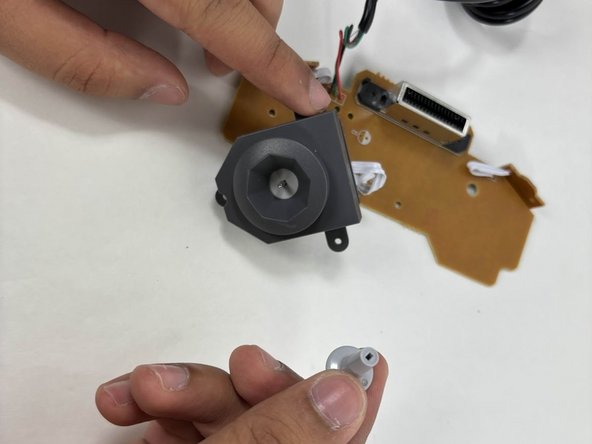
    • Pull the joystick cover straight up from the joystick assembly.

    • It should come off with very little resistance.

    • Once the cover has been removed there should be an exposed rod.

결론

To reassemble your device, follow these instructions in reverse order. Take your e-waste to an R2 or e-Stewards certified recycler.

작성자

2다른 기여자 명과 함께

Marcia Cardoso

회원 가입일: 10/31/24

85 평판

안내서 1개를 작성함

UMass Dartmouth, Team 3-4, Santin Fall 2024 UMass Dartmouth, Team 3-4, Santin Fall 2024 회원

UMASSD-SANTIN-F24S3G4

4 회원들

안내서 5개를 작성함

0가이드 댓글

댓글 쓰기

조회 통계:

지난 24시간: 0

지난 7일: 2

지난 30일: 11

전체 시간: 161