주요 콘텐츠로 건너뛰기

why! W650SZ Solid State Drive (SSD) Replacement

필요한 것

  1. why! W650SZ Solid State Drive (SSD) Replacement, Battery: 1 단계, 이미지 3개 중 1개 why! W650SZ Solid State Drive (SSD) Replacement, Battery: 1 단계, 이미지 3개 중 2개 why! W650SZ Solid State Drive (SSD) Replacement, Battery: 1 단계, 이미지 3개 중 3개
    • Slide the latch on the right to the unlocked position.

    • Slide the latch on the left to the unlocked position.

    • Remove the battery pack from the slot.

  2. why! W650SZ Solid State Drive (SSD) Replacement, why! W650SZ Bottom Cover Replacement: 2 단계, 이미지 3개 중 1개 why! W650SZ Solid State Drive (SSD) Replacement, why! W650SZ Bottom Cover Replacement: 2 단계, 이미지 3개 중 2개 why! W650SZ Solid State Drive (SSD) Replacement, why! W650SZ Bottom Cover Replacement: 2 단계, 이미지 3개 중 3개
    • With your #0 Philips screwdriver remove the 2 screws from the bottom panel.

    • Now you can remove the bottom cover.

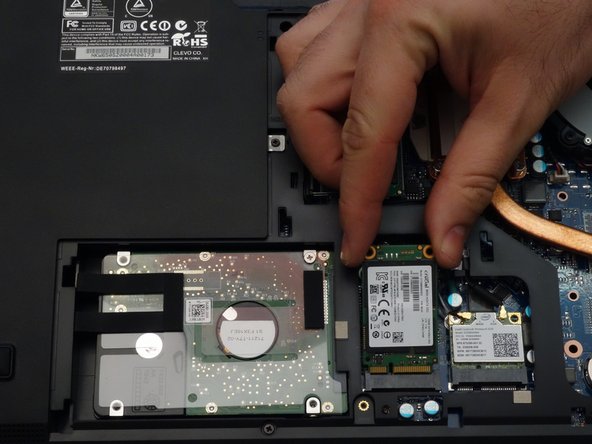
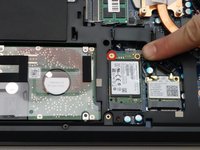
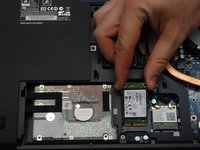
  3. why! W650SZ Solid State Drive (SSD) Replacement, Solid State Drive (SSD): 3 단계, 이미지 2개 중 1개 why! W650SZ Solid State Drive (SSD) Replacement, Solid State Drive (SSD): 3 단계, 이미지 2개 중 2개
    • Using a Philips screwdriver #0, remove the screw securing the SSD.

    • Lift the end of the SSD slightly and pull it straight out to remove it.

결론

To reassemble your device, follow these instructions in reverse order.

다음 번역가들에게 특별히 감사 드립니다:

fr en

100%

Jerry Wheeler님은 저희가 세상을 수리하는데 동참하신 분입니다! 기여하시겠습니까?
번역 시작하기 ›

Felice Suglia

회원 가입일: 06/15/13

33,538 평판

안내서 283개를 작성함

0가이드 댓글

댓글 쓰기

조회 통계:

지난 24시간: 0

지난 7일: 0

지난 30일: 1

전체 시간: 205