
주요 콘텐츠로 건너뛰기

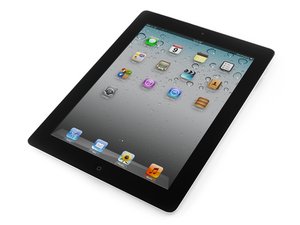
Second generation of Wi-Fi iPad, released on March 11, 2011. Model number A1395. Repair is difficult and will require heat.

Actual LCD Cleaner for IPAD

Hi

Please can anybody advise what to use to clean the LCD under the Digitizer

I have noticed that the LCD can become really filthy once the digitizer is removed.

I have tried a soft brush

A micro fibre cloth

Both of these have left some marks on the Screen

im a bit hesitant to test any type of alcohol cleaner

Can anybody advise please, and only if youve tried it not advise on things that MAY work

Thanking you

답변되었습니다! 답변 보기 저도 같은 문제가 있습니다

좋은 질문입니까?

점수 1
댓글 달기

답변 2개

선택된 해법

Ive done a lot of ipad digitizer replacements. Your best bet is to avoid touching or getting it dirty to begin with.....BUT ALAS. It does happen.

Personally i use a VERY clean microfiber cloth. I would not recommend using any solution. Just a nice dry microfiber cloth should get it taken care of.

You do have to be precise though as around the edges you can grab little bits of left over adhesive and pull them across the screen and that will make big marks across it. Just use a little warm breath if need be and polish it as best as you can. Be careful also not to use too much pressure. Light and quick swirls are better than slow hard pushing.

Hope this helps

이 답변이 도움이 되었나요?

점수 0
댓글 달기

Blow vapor from your mouth and wrap it gently with the glasses cloth,

just did it and worked

이 답변이 도움이 되었나요?

점수 0
댓글 달기

답변을 추가하세요

Ali 영원히 감사할 것입니다.
조회 통계:

지난 24시간: 1

지난 7일: 1

지난 30일: 5

전체 시간: 3,870