
 1
1  1
1 How to replace hinge cover?
Hey all!
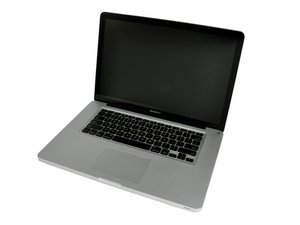
I have a new 2010 MBP 15" and noticed that it came from the factory with a mark on the black rubber/plastic hinge cover. I don't really mind it, except at certain angles it catches the light and reflects it right into my eye and I find it distracting. The spot itself is very tiny, probably 2mm square, but it's always bouncing light into my eyes at the normal viewing angle for the screen.
I wouldn't bring it back for something so minor (everything else about the computer is perfect) and I started looking into fixing it myself. It seems that the black hinge cover is a kind of textured rubber/plastic and it gets "glossy" when this texture wears off. So it's not like I can just clean the spot with something and it will go away (I've tried cleaning it and nothing has helped.)
I started looking around for hinge covers and found them for the 15" 2009 unibody (which I think is the same part that I would need) online for anywhere from $10-$40. But the issue is I'm unsure how i can actually get to the hinge cover to pop it off if I decide to go through with it.
I should mention I have the hi-res antiglare display with the silver bezel.
I looked here: MacBook Pro 15" Unibody Mid 2009 Display Replacement
and even though it's for the 2009 unibody 15" model and although it doesn't show the hinge cover being replaced it looks like I should be able to replace it WITHOUT removing the silver bezel from the antiglare display from the screen. Is this true?
This is my main concern because I don't want to mess up the screen!
I guess, overall, is replacing the hinge cover a huge pain? Is it hard to pop it off and put a new one on?
Thanks!
좋은 질문입니까?

