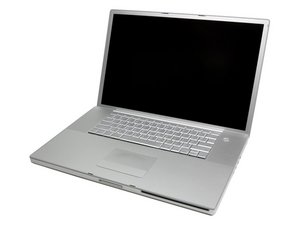
WIll not start up
A1229
When it starts up the screen displays a circle with diagonal stripe (not the blinking question mark symbol). It will not go any further than the grey screen with 'stop' sign on it.
좋은 질문입니까?
점수
0

A1229
When it starts up the screen displays a circle with diagonal stripe (not the blinking question mark symbol). It will not go any further than the grey screen with 'stop' sign on it.
좋은 질문입니까?

평판: 689.6k
 3.8k
3.8k
 1.1k
1.1k
 2.6k
2.6k
For OS X Lion and earlier, follow these steps:
Press and hold the Power button for several seconds to turn off your Mac.
Turn on your Mac.
As soon as your Mac starts up, hold down the Shift key to start up with a Safe Boot into Safe Mode. Note: If you are using a third-party external keyboard and cannot start with a Safe Boot, try using an Apple keyboard instead.
If your Mac has another kernel panic starting up, or while in Safe Mode, let us know.
If your Mac starts up without a kernel panic after a Safe Boot, restart by choosing Apple menu () > Restart…, then let it start up normally.
이 답변이 도움이 되었나요?
지난 24시간: 0
지난 7일: 1
지난 30일: 6
전체 시간: 377

댓글 1개
Apple MacBook Pro "Core 2 Duo" 2.4 17" (SR) Specs
Identifiers: Mid/Late 2007, 2.4GHz* - MA897LL/A - MacBookPro3,1 - A1229 - 2137
mayer 의