
주요 콘텐츠로 건너뛰기

Hard Drive Replacement Data Transfer

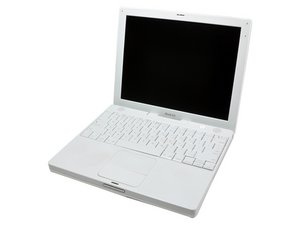
I am about to purchase a large HD for my iBook. What I do not have any confidence in is my ability to recreate the system, applications, and configurations the way that I have them on my current drive. Is a disk image what I should be searching for information on to create an exact copy of my existing drive on my new, larger capacity drive?

I read somewhere the easiest method is to somehow place my existing HD in an external drive case and after placing the new drive in my iBook, transfer from the old internal (residing in the external case) to the new internal HD. Is this possible?

Can anyone tell me how best to do this or where to look for this information? Thank you!!

Curtis

답변되었습니다! 답변 보기 저도 같은 문제가 있습니다

좋은 질문입니까?

점수 -1
댓글 달기

답변 1개

선택된 해법

It's really simple actually, all you need to do is buy an enclosure, then put the new drive in there, connect to your computer, and use SuperDuper to clone your internal drive to the new one. Then replace the hard drive and you're set to go!

이 답변이 도움이 되었나요?

점수 1

댓글 2개:

agree + That's the way to go...

I purchased a firewire enclosure because I've run into a number of postings that firewire is the only external that an iBook of this kind can boot from. I found following the iFixit pdf on cloning data with SuperDuper worked perfectly! The instructions were linked to in the hard drive page I ordered from on iFixit. No issues or hiccups with the data transfer. (If replacing the drive could only be so easy!) Thank you and thank you for your subsequent advice on the replacement of the HD.

댓글 달기

답변을 추가하세요

crtolson 영원히 감사할 것입니다.
조회 통계:

지난 24시간: 0

지난 7일: 1

지난 30일: 7

전체 시간: 1,415
