주요 콘텐츠로 건너뛰기

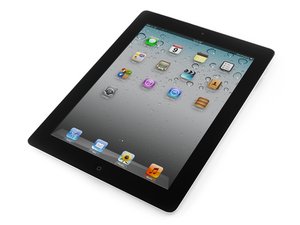
Second generation of Wi-Fi iPad, released on March 11, 2011. Model number A1395. Repair is difficult and will require heat.

Why doesn't my home button work?

I have installed a new charger port, Wi-Fi antana, and digitizer/front panel. They all work except the home button on the front panel.

Before I reassembled the Ipad, I testsed two home buttons on the charger port probes but they didn't work.

Any ideas on whatelse could be wrong with the home button?

이 질문에 답하기 저도 같은 문제가 있습니다

좋은 질문입니까?

점수 2
댓글 달기

답변 2개

the home button signals through the charge port. if you replaced the charge port and the new port doesn't have home button function, this is either damage to the connector on the board or a bad part. rule out bad part first.

jessa

이 답변이 도움이 되었나요?

점수 0

댓글 1개:

I'm having a similar problem. When I replaced the charge port, the charger started working when it hadn't previously, but the home button still doesn't function. I tried taking the home button out of the glass thinking it might not be connecting correctly (too much adhesive, etc.) but it still doesn't work. Is there a way to repair the connector on the board without having to get a new board as my ipad isn't worth that much?

댓글 달기

I have replaced the didgitiser on an iPad 2 after LCD flex swop out. Digitiser and Home button was all working fine before this. I've tried 2 brand new digitisers now but still the Home button refuses to be responsive. Connectors are fully seated. Now that Jessa has mentioned the signals goes through the charge port I will check that and hope to get this fixed. I haven't changed the port. Will post back when I get a chance to examine it.

이 답변이 도움이 되었나요?

점수 0

댓글 1개:

Checked components under a microscope and nothing knocked off at all. Reseated connectors and still no Home button function :(

Tried the Home button recalibration fix but no good either.

댓글 달기

답변을 추가하세요

Jesse Shelbourn 영원히 감사할 것입니다.
조회 통계:

지난 24시간: 0

지난 7일: 0

지난 30일: 4

전체 시간: 389
