
주요 콘텐츠로 건너뛰기

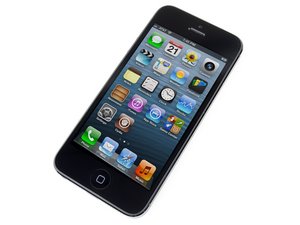
2012년 9월 12일에 발표된 여섯 번째 Apple iPhone입니다. 수리는 이전 모델과 유사하며 스크류 드라이버 및 비집는 도구가 필요합니다. GSM 또는 CDMA / 16, 32, 또는 64GB / 검정색 또는 흰색으로 제공하였습니다.

Can I take the screen out, without turning it off?

i can't turn of my iphone since the screen and touch doesn't work, so i opened it anyways, i took the screen out, but th phone is still ON, if i hit the Mute switch th phone vibrates indicating the vibra call mode ON, but the day after,it stopped doing it, so im little afraid, if i killed it by leaving it on without the screen, or the battery died, i bought the screen already might be here in 15ish days.

this is more a informative question that may help others in case they do such thing.

but if somebody knows about it would help me calm my nerves as well haha

thanks.

답변되었습니다! 답변 보기 저도 같은 문제가 있습니다

좋은 질문입니까?

점수 2
댓글 2개

Once iPhone is open, just disconnect battery with plastic tool or finger nail.

the thing is, i already did it, and i just left the battery on. and the phone on as well. i hope it is OFF because the battery discharged, instead of a damage in the logic board

댓글 달기

답변 5개

선택된 해법

It worked OK, the phone can be left on without the screen, thanks for the help guys

이 답변이 도움이 되었나요?

점수 3

댓글 1개:

The hazard here is that the backlight for the LCD takes a significant amount of power, and if you were to try and connect a screen with the battery connected, if the connector is misaligned by even a little bit, you run the risk of shorting out the backlight and/or the drivers for it on the motherboard.

It's a little less of a risk when you disconnect the screen, as long as the connector is pulled away from the motherboard immediately, but there's still the possibility of damage.

You're in a little better situation here since you don't care about the old screen, and luckily nothing bad happened. But in the future, keep in mind that you *always* want to disconnect the battery before doing anything else inside the phone.

Glad it worked out for you, Joao, and thanks for letting us know how it all turned out.

댓글 달기

Yes you can but there is a risk of you hurting yourself (small electric shock) or a greater risk of the phone being damaged with contact of water since the phone is on. Just make sure that the exposed motherboard does not get into contact with anything so that no extra damage is done

이 답변이 도움이 되었나요?

점수 2

댓글 1개:

the thing is, i already done it, the phone was ON cuz i could hear notifications coming, but i left the phone ON cuz i tough there would be no problem, but the day after it was OFF, i just wanna know if it is OFF because the battery discharged, OR the phone got damaged cuz i left it ON without the screen attached.

댓글 달기

From my experience I want to say that it turned OFF because the battery discharged, this happened to me a couple of times, but after charging phone with either the lighting cable or a battery-case I noticed it still worked.

Now, the advice to you (if you ever do it again and you have no way to turn OFF the iphone) or to someone else who cannot turn OFF the iPhone 5 before opening it or changing the screen is that:

You do it REALLY careful, and you do the process of opening it the proper way (no more than 90degrees) then take out the little lid covered by the three(3) screws which covers the cables from the screen.

After you are done with this, then you should move to the battery connector on the lower part, take out the two(2) bottom screws, then disconnect the battery from the logic board.

Then you know that the phone is OFF, and don't forget to connect the battery and place all the lids with their proper screws after you are done working on it and before you close it.

For more help click on this Youtube video that I found informative with the answer.

https://www.youtube.com/watch?v=FBIxr8W7...

이 답변이 도움이 되었나요?

점수 0
댓글 달기

I have simular problem. I dissamble phone cause wanted to replace camera, but forgot tu turn off the phone first -1gen SE. I separted screen form phone . Assambled everything back and now phone is not working. Doesnt want to turn on. Is it possible to damage your phone if you remove connections from inside the phone without turning it off first. I think there were 4 connections in my case.

이 답변이 도움이 되었나요?

점수 0
댓글 달기

i was changing a screen and had this problem on an iphone 11, and was confused on what to do cause it was power looping and the screen that wasnt respontding to touch cause the screen was faulty so i went to a cool unhumid room and disconected the ribons and changed the front camera and speaker to a new screen then connected it and hoped for the best and it worked but was risky.

이 답변이 도움이 되었나요?

점수 0

댓글 1개:

As long as you disconnect the battery before removing any other cables, it will be fine. Plugging and unplugging the LCD/OLED display when it's turned on is where we usually see problems with killing the display, so if the battery is unplugged that becomes a moot point.

댓글 달기

답변을 추가하세요

Joao Eduardo 영원히 감사할 것입니다.
조회 통계:

지난 24시간: 3

지난 7일: 14

지난 30일: 78

전체 시간: 27,273
