주요 콘텐츠로 건너뛰기

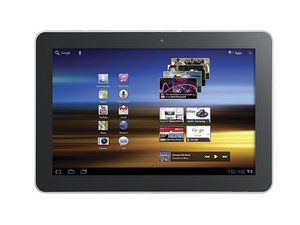
The Samsung Galaxy Tabs are Samsung's flagship tablets that compete with iPads.

Menu button not working

On my Galax Tab S2 with android version 5.1.1 I am unable to view an app's menu by pressing and holding the swap button that is to the left of the home button. Whenever I long press it, it just tries to open another app to multitask with. Specifically I'm trying to access the menu on the battle.net authentication app. I'm not sure if they changed how you view menus with this update, but I've tried everything and I know long pressing it on an S5 is how you view menus.

이 질문에 답하기 저도 같은 문제가 있습니다

좋은 질문입니까?

점수 1
댓글 달기

답변 2개

가장 유용한 답변

From elsewhere online, I found the following solution:

Press and hold the "Back" button (to the right of the Home button) to bring up the menu.

I'm actually trying to help someone who's having this exact same problem, but I don't want to send them the solution until someone can confirm that it works. Could you try this and reply to let me know if it works or not?

Thank you!

이 답변이 도움이 되었나요?

점수 1
댓글 달기

It does bring up a menu but not the one my Galaxy Note 10.1 2014 Edition does using the menu button.. On the latter running Firefox, the menu includes a "Quit" option. Not so on the Galaxy Tab S2. Why the very useful menu button was reassigned to a IMHO less useful function I'd like to know. It's almost as bad as an Apple iPad with just one button, not quite, thankfully.

이 답변이 도움이 되었나요?

점수 0
댓글 달기

답변을 추가하세요

Billy 영원히 감사할 것입니다.
조회 통계:

지난 24시간: 3

지난 7일: 5

지난 30일: 9

전체 시간: 2,139