
 1
1 screen replacment did not work
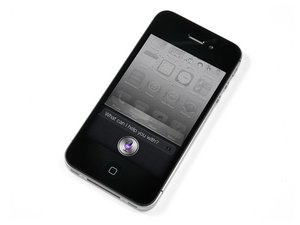
i replaced my iphone 4s screen with one i got from this site, i followed the directions and did not touch the back of the screen but my screen does not work, it turned on but does not respond to touch, is there a mistake i made? please let me know if there is anything i can do
좋은 질문입니까?
점수
1

 16
16  30
30 


댓글 1개
I disassembled my old iPhone 4S after some water damage, and monkeyed with the display. I heard a small *pop* noise when I put the spudger between the LCD and display, likely ruining it. I then reassembled the logic board, plugging in the display in. There was no response from the display, no colors, no flickering, no nothing. Further, the logic board was too warm to the touch. One by one, I unplugged cables from the logic board, until only the dock and battery were still plugged in, and the logic board was still too warm. I ceased my tinkering, ordered a new display and headphone jack cable (broke that!), and have just installed them. The process felt successful. Now the display turns on but is only white with dark lines dancing horizontally and vertically. There are some pastel-like color changes and blinking. Power and home buttons work. iTunes recognizes the device when plugged into computer. I cleaned the metallic area on the LCD cable. Any thoughts? Did I short out the logic board?
Thanks!
gates12561 의