
주요 콘텐츠로 건너뛰기

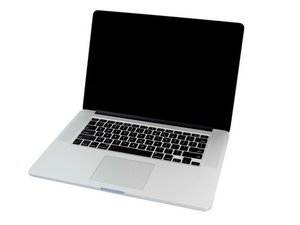
6MB 공유 L3 캐시 2.4GHz, 2.7GHz, 또는 2.8GHz 쿼드-코어 Intel Core i7 프로세서 (Turbo Boost 최대 3.8GHz).

No Backlight or Picture - How to check LCD Fuses

I bought a computer that needed an LCD. I got a new LCD display and plugged it into the motherboard, but nothing happened. I tested the LCD by plugging it into another MBP I have and it worked fine. The LCD port on the mobo looks fine, and the computer works great on an external monitor.

I followed this:

fuse location and type is the same for a Mid-2012 Retina 15"

and get a reading of 0 ohm across Fuse F9700, so this would mean its good right? I shined a bright light behind the apple during boot up and can not see anything. Im not sure what fuses i need to test or how to tell if they are bad. Can someone help me out here?

이 질문에 답하기 저도 같은 문제가 있습니다

좋은 질문입니까?

점수 -1
댓글 8개

What happens when you plug in an external monitor, does that work?

Yes with HDMI the computer works fine.

With a flashlight shine it through the Apple Logo (poor mans backlight) you should be able to see your desktop icons, do you?

Haha I answered both those questions already =) No I dont

Do you know your model number should be like A1425/A1502

댓글 3개 더보기

댓글 달기

답변 1개

가장 유용한 답변

OK, so we know the display assembly its self is good and we know the systems logic board video services is good. So that limits the problem down to the connector on the logic board.

Can you take some good detailed images of the connector solder joints and the connectors pins. I suspect we'll see something. Post them in your question so we can see them.

Are you sure you got the correct display assembly for this system?

There is no fuses for the data interface only for the backlight power lines.

이 답변이 도움이 되었나요?

점수 1

댓글 3개:

The plug looks good. I took pictures here:

https://www.dropbox.com/sh/x03bdx2a1dphr...

And I bought the lcd for the a1398 here:

http://m.ebay.com/orderDetails?itemId=30...

Well, the connector looks clean from what I can see. The markers are not turned so the logic board on this side did not get wet (at least the markers didn't get hit). So I'm thinking the part is not correct or bad. Sadly, I can't see your eBay link as I would need your user info. Can you take some pics of the cable end to be sure the cable end is OK.

Here is the link to the screen:

http://www.ebay.com/itm/For-15-MacBook-P...

I have a mid 2012 retina 15" A1398 and I plug it into that and it works fine.

댓글 달기

답변을 추가하세요

bhollehday 영원히 감사할 것입니다.
조회 통계:

지난 24시간: 0

지난 7일: 3

지난 30일: 8

전체 시간: 1,411
