주요 콘텐츠로 건너뛰기
수리 커뮤니티 가입 - 계정 만들기

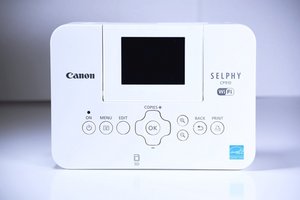
The Canon Selphy CP910 is a compact printer that connects to a camera, computer, and mobile device through a WiFi connection. It is the 34th generation of its kind in the Selphy printer series created by Canon.

How do I reload the printer paper?

I'm not sure how to add more paper into the printer.

답변되었습니다! 답변 보기 저도 같은 문제가 있습니다

좋은 질문입니까?

점수 0
댓글 달기

답변 3개

선택된 해법
  1. Remove the paper cassette from the printer
  2. Open both of the covers on the paper cassette
  3. Load the paper into the cassette, glossy side up
  4. Close the inner cover
  5. Reinstall the paper cassette into the printer

Hope this helps!

이 답변이 도움이 되었나요?

점수 1
댓글 달기
가장 유용한 답변

You can find instructions on loading the paper cassette on pages 8-9 of the user guide

이 답변이 도움이 되었나요?

점수 2
댓글 달기

The question is: How do we remove the paper cassette to load paper?

이 답변이 도움이 되었나요?

점수 0
댓글 달기

답변을 추가하세요

Christie Peralta 영원히 감사할 것입니다.
조회 통계:

지난 24시간: 1

지난 7일: 3

지난 30일: 15

전체 시간: 3,813

