
주요 콘텐츠로 건너뛰기

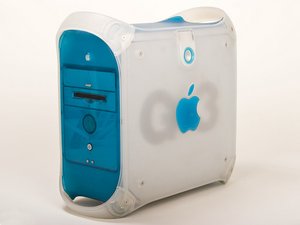
원래 PowerMac G3의 뒤를 이어 1999년에 출시되었습니다, 300-450 MHz, 64 또는 128 MB RAM, 6 또는 12 GB HDD

How do I find out what # MHz my mac is?

I found a powermac g3 blue and white in a thrift store. It does not have the processor and I need to find out how many MHz it is. Will it make a difference in which processor I purchase? Or am I worrying over nothing?

Thanks Mac lovers...

이 질문에 답하기 저도 같은 문제가 있습니다

좋은 질문입니까?

점수 -1
댓글 달기

답변 1개

가장 유용한 답변

Look on the back where the ports are. There should be a plate telling you what it is.

이 답변이 도움이 되었나요?

점수 3

댓글 3개:

Found it, thanks! I didn't know what to look for before. Appreciate it...

댓글 달기

답변을 추가하세요

Kimberly Jones 영원히 감사할 것입니다.
조회 통계:

지난 24시간: 0

지난 7일: 0

지난 30일: 3

전체 시간: 1,664