
주요 콘텐츠로 건너뛰기
수리 커뮤니티 가입 - 계정 만들기

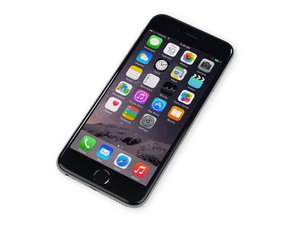
2014년 9월 19일에 출시된 이 4.7” 스크린 iPhone은 iPhone 6 Plus의 작은 버전입니다. 모델 번호 A1549, A1586 및 A1589로 식별됩니다.

Sound not working even after speaker replacement

Have a 6 with no sound.

Have tried the following:

-Replaced speaker

-Replaced dock connector

-Restore to factory settings

Anyone else have similar problems?

Thanks

James

이 질문에 답하기 저도 같은 문제가 있습니다

좋은 질문입니까?

점수 1

댓글 1개:

sound works through earphones

댓글 달기

답변 2개

If there is no sound through earpiece, and headphones, then the audio IC may be faulty, but since you are only experiencing problems with speaker, I would try cleaning the speaker contacts with alcohol.

이 답변이 도움이 되었나요?

점수 0

댓글 2개:

Thats not a bad shout except I have replaced both the dock connector and the speaker so the contact between the two should be spotless. I have also removed the rubber and wire mesh from the housing directly below the speaker hoping that maybe it was just too clogged up......no luck

Where did you buy the dock connector from? Also, do you have microphone and earpiece functionality? like can you call someone?

댓글 달기

Did you manage to fix this issue? I am having the exact same issue

이 답변이 도움이 되었나요?

점수 0

댓글 1개:

I’m having a similar problem with my daughter’s iPhone 6. It was dropped in a bathtub and then she continued to use it for a couple of hours before bringing it to me. Initially it was stuck in headphones mode. I disassembled and dried it out as best I could with IPA. Let it dry overnight (not long enough, I know). Reassembled and sent her to school with it. Initially the speaker was still working but it stopped later the next day. Replaced the battery a few days later and tried to clean the speaker contacts again. I have just replaced the speaker itself but there is still no sound. The earpiece speaker works, mic works, headphone jack works. Just no sounds at all from the loud speaker.

댓글 달기

답변을 추가하세요

James 영원히 감사할 것입니다.
조회 통계:

지난 24시간: 1

지난 7일: 1

지난 30일: 4

전체 시간: 134
