
주요 콘텐츠로 건너뛰기

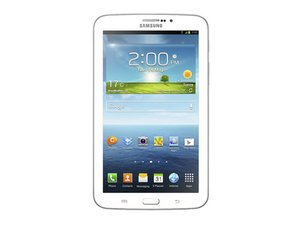
The third generation of the Samsung Galaxy tablet with a 7-in. screen announced on June 24, 2013. Repair of this device requires screwdrivers and prying tools. The device is available in white or gold brown with 8, 16, or 32 GB of storage, and includes a microSD slot that can hold up to an additional 64 GB of memory.

Quick Home Button Replacement without taking off the Touchscreen?

I have a Tab 3 7" tablet that I have already replaced the touchscreen/digitizer on but I need to physically reset the Home Button. It works, but its very stiff and doesn't give the normal bounce back of clicking it. Is there a technique anyone knows of resetting it physically that doesn't involve taking the entire touchscreen off? I don't think there is but it doesn't hurt to ask. Thanks.

답변되었습니다! 답변 보기 저도 같은 문제가 있습니다

좋은 질문입니까?

점수 1
댓글 달기

답변 1개

선택된 해법

You will need to take off the display in order to get to this part, unfortunately. If you end up doing this, please be careful of the home buttons light up boards. They will sometimes stick to the screen as you are removing it.

이 답변이 도움이 되었나요?

점수 1
댓글 달기

답변을 추가하세요

Gordon Fikes 영원히 감사할 것입니다.
조회 통계:

지난 24시간: 0

지난 7일: 0

지난 30일: 1

전체 시간: 209