주요 콘텐츠로 건너뛰기
수리 커뮤니티 가입 - 계정 만들기

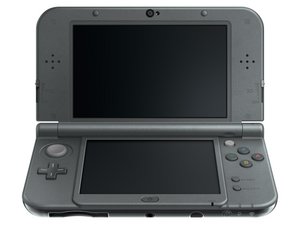
New Nintendo 3DS XL로 알려진 Nintendo 3DS XL 2015년형은 2014.10.11에 일본에 출시되었으며 북미에서는 2015.2.13에 출시되었습니다. 대한민국에는 2015.5.1에 출시되었습니다.

ZR button constantly active

The ZR button isn't stuck down but it acts as if it's being pressed constantly (automatically scrolls to the right on home screen) blowing into it and pushing down doesn't help it and I don't know how else I would fix it

답변되었습니다! 답변 보기 저도 같은 문제가 있습니다

좋은 질문입니까?

점수 1
댓글 1개

i have same problem, but when i'm remove ZR+R's jack, it still scrolls to the right

댓글 달기

답변 3개

선택된 해법

Sounds like there could be liquid damage around the button, which is triggering it. The only option may be disassembling this and cleaning the button mechanism with isopropyl. If this doesn't work, the mechanism will need to be replaced.

이 답변이 도움이 되었나요?

점수 2
댓글 달기

Hi i had the same issue when i re-assembled the console after a fix. If it happenned after having the console disassembled, The plug of each button need to be inserted in the good way onto the board. If the ZR button is stuck down it means that the plug is connected backwards. If the console has never been opened, it might be like Reece answered, probably liquid damage or something else makes it faulty.

이 답변이 도움이 되었나요?

점수 0

댓글 1개:

it's 2018 and this answer was used today, "blug is connected backwards" gave it a try worked perfectly.

Thanks kind stranger

댓글 달기

Could you please explain how do you do to connect in the correct way the ZR button?

I want to plug it correctly but there isn't any videos about the Z buttons on the site.

There are all there but this one.

Please.

이 답변이 도움이 되었나요?

점수 0

댓글 1개:

Hello, there are wires on the head of the ribbon cable, it has to be in the same way as the connectors on the socket, and it has to clip in it. Unfortunatly, it can clip in the wrong way. There is only two ways to connect the plug on the motherboard, right way or good way, try both until it works.

You can look at the pictures on the New 3DS XL motherboard replacement guide, there is one where you can see the ribbon cable plugged in the right way :

https://guide-images.cdn.ifixit.com/igi/...

댓글 달기

답변을 추가하세요

Gatts 영원히 감사할 것입니다.
조회 통계:

지난 24시간: 2

지난 7일: 6

지난 30일: 39

전체 시간: 4,929