
주요 콘텐츠로 건너뛰기

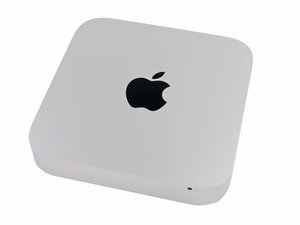
2014년 10월 16일에 발표하였으며, 모델 번호 A1347 및 EMC 2840로 식별할 수 있습니다.

PCIE SSD DIY in Mac Mini purchased in 2017

i have recently purchased a mac mini in jan 2017 from apple. I try to add a pcie ssd myself by getting ssd cable and a pcie ssd from an old mini 2014 ( which is a 32/24GB of toshiba ssd).

Unfortunately, the ssd is not detected in the mac os.

can any expert shed me some light? is the "new" boot firmware of mac mini 2014 not supported? do i need a very new apple pcie ssd?

thanks

답변되었습니다! 답변 보기 저도 같은 문제가 있습니다

좋은 질문입니까?

점수 1
댓글 1개

Can you take some pics of the labels on the SSD and post them here so we can review what you have. It would be helpful understanding how you did the transfer and why. Was the other system dead?

댓글 달기

답변 1개

선택된 해법

Apple has not altered things within this series.

So what worked in the first systems of this series (2014) still works in the current models of this series presently.

Are you sure you didn't damage or forget something in the process or have a known good (correct) SSD?

I have quite a few of these in our office and I've moved the SSD drives around without any issues.

이 답변이 도움이 되었나요?

점수 3

댓글 3개:

thanks Dan. I finally figured out it was the cable issue. I ordered another one from another seller. The problem solved.

i cannot imagine it is due to the cable!

Hi Jona, could you send the link where you bought the new cable? I have the same problem... the system does not recognize my SSD and i think the cable could be the problem, the guy who sells the SSD to me says it is a cable problem... so i want to try a new cable before return with de SSD. I am trying to use a 256GB Toshiba SSD

I get my cables from PowerBook Medic:

- Flex cable for the 2.5" SATA HDD for the Mac Mini

- Flex cable for the Blade SSD for the Mac Mini 2014

You may want to review this if you are planing on using the blade SSD connection: The Ultimate Guide to Apple’s Proprietary SSD's

댓글 달기

답변을 추가하세요

jona 영원히 감사할 것입니다.
조회 통계:

지난 24시간: 0

지난 7일: 1

지난 30일: 9

전체 시간: 1,123
