
주요 콘텐츠로 건너뛰기

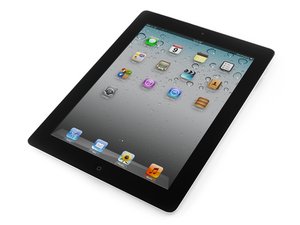
Second generation of Wi-Fi iPad, released on March 11, 2011. Model number A1395. Repair is difficult and will require heat.

Screen does not glue

After changing the cracked screen, the new screen does not stick. A corner is bumped a little and screen didn't fit. I sanded the screen to fit. Even so, the screen is kind of loose, not firmly stick. is there any clip or case that holds the screen firm?

Thanks

답변되었습니다! 답변 보기 저도 같은 문제가 있습니다

좋은 질문입니까?

점수 0
댓글 달기

답변 1개

선택된 해법

There's a few things that can cause this and a few solutions.

First, you say one corner is bumped a little. If this is the bottom corner to the right of the home button then it means the digitizer flex cable has not been folded under properly and need to be adjusted.

Glue not sticking could be a few problems. The most likely is the frame not being clean enough, the other is poor quality adhesive. It also could be that it has been handled too much. In my shop my process is to warm the adhesive a bit with my heat gun before I press the digitizer into place, then once it is in and sitting flush I use the black paper clamps to keep it held tight for 1-2 hours so the adhesive can set well. Warning, DO NOT place a clamp over the home button or within an inch of it on each side as the glass there is quite easy to break.

If your adhesive is now not sticky due to too many attempts, I'd suggest removing it and using 3M double sided adhesive (9448A)

Hope this helps

이 답변이 도움이 되었나요?

점수 1
댓글 달기

답변을 추가하세요

oscar molina 영원히 감사할 것입니다.
조회 통계:

지난 24시간: 0

지난 7일: 1

지난 30일: 2

전체 시간: 101