주요 콘텐츠로 건너뛰기
수리 커뮤니티 가입 - 계정 만들기

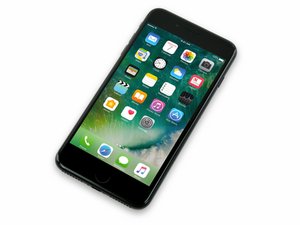
2016년 9월 16일 출시. Model A1661, A1784, 또는 A1785. 32, 128 또는 256 GB 환경 설정 / 로즈 골드, 금색, 은색, 검정색, 칠흑색 및 (Product)빨간색으로 제공됩니다.

3d touch and touch id not working..

The touchscreen i.e. 2d touch of my phone works fine but the 3d touch isn’t responding...?

I tried reseting the phone but it just avoids to work..

Even the Touch ID is not working even though the home button works just fine but the finger print isn’t sensed......

I had a screen replacement once.

I would be nice if you help me in finding the problem with it...

답변되었습니다! 답변 보기 저도 같은 문제가 있습니다

좋은 질문입니까?

점수 1
댓글 달기

답변 4개

선택된 해법

Hi,

Both the 3D Touch and home button run through the same cable, I would highly suggest trying another screen, as there may be damage in the cable. :-)

이 답변이 도움이 되었나요?

점수 3

댓글 3개:

Are you sure as I have problem only with my Touch ID but the home button still works.

Yes, I am quite positive, try another screen and let me know, also make sure it’s not a poor copy screen

Sure will do that..!

댓글 달기

I had the same problem, and after i replaced it with the old screen it all worked and I found out that some how the little cable was broken:(

이 답변이 도움이 되었나요?

점수 1

댓글 1개:

I e replaced 2 screens and still can’t get working properly

댓글 달기

I have 3Dtouch, touchID and force touch not working after I opened My iphone7plus, maybe changing screen I can solve the problem ?

이 답변이 도움이 되었나요?

점수 0

댓글 1개:

I’m pretty sure you have damage one of the flex cable ( the lower one) it’s very easy to . i have done it a few times:( So you you have to be very very very carefull when you open up your phone.

댓글 달기

I have this problem too with my iPhone 8 Plus, the flex cable doesn’t even seem damaged at all.

이 답변이 도움이 되었나요?

점수 0

댓글 3개:

It is for sure damaged, change backlight and all will be right

When I opened my 7 plus I couldn’t see broken flex till I put away backlight screen protection. If you opened your iPhone and from that moment Touch ID and home button doesn’t worked anymore, is for sure the damaged flex. Don’t change any other things, don’t’ change home button, just be very very very careful and change back light. By change only back light your screen will be good as usual. if you change all the screen with a preassebled as GIGA FIXXO ON AMAZON, it will be very easy and secure, but you will not have the original qualiti of apple screen

Attention, flex Brocken is not the one you see near the home button!! The flex Brocken is under the protection of the screen. Don’t do it by yourself become is too risky, go to a Chinese or to a Irepair, and say that you want change backlight (15€ Part cost)

댓글 달기

답변을 추가하세요

Shivam Patil 영원히 감사할 것입니다.
조회 통계:

지난 24시간: 0

지난 7일: 4

지난 30일: 20

전체 시간: 3,360


