
주요 콘텐츠로 건너뛰기
수리 커뮤니티 가입 - 계정 만들기

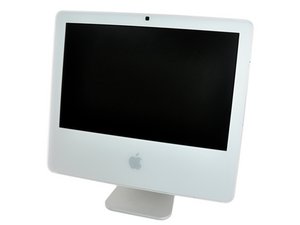
1.83 GHz Core Duo 또는 1.83, 2, 또는 2.16 GHz Core 2 Duo A1208 (EMC 2104/2110/2114/2124)

Keeps rebooting during cold start

Whenever I start the iMac in the morning, I hear the startup sound, but then, at different stages of the boot process, the screen goes black, there is a startup sound again and the process starts from the beginning.

It only happens when the iMac was off for a while. I get around by pressing the Option key during boot and letting is sit for a few minutes at the boot disk choose screen. Then it boots ok.

I have read somewhere that it might be a power supply problem. I have been thinking about replacing the power supply if it gets worse. Did anyone had a similar issue and successfully fixed it?

답변되었습니다! 답변 보기 저도 같은 문제가 있습니다

좋은 질문입니까?

점수 -1
댓글 달기

답변 2개

선택된 해법

Boot up from your system installation disk by holding down the "C" key. Go to the second screen pull down menu to Utilities -> Disk Utility and repair the drive till it runs clear. If this ails do a reinstall of the system using the archive and install option. I suspect that your hard drive is starting to fail but will still work after it gets warm. If the drive is an old one I would select the "write zeros" option to map out any bad blocks. This takes a while but will eliminate future problems. This may only last for a short while, so I'd make sure my data was backed up and start looking for a replacement hard drive.

이 답변이 도움이 되었나요?

점수 4

댓글 1개:

Thanks, I haven't thought about the hard drive. Disk utility didn't find any problems. Also one time when I was booting from cold from DVD the system froze as well - so it may mean it's something other than the hard drive.

It's been going on for a long time now and I have time machine backups - so I will probably wait till it gets worse before I try reinstalling the system.

댓글 달기

I have a similar problem (my problem was due to a big quake) and also ruled out hard-drive. I am checking it out now but i am sure its hardware and it will either be the PSU (power supply) or the memory (I don't want to even think about it being the mobo ;D)

First I would check the cables...

Replace power cord... (even use a different power socket, try one with no other power cords attached)

Sata cables? (though maybe not applicable to you)

Try swapping out ram... if it works it could just be one stick (if you have two etc) try swapping one out to see which one it is...

Then if that doesn't fix it, it could be the PSU (not sure how easy they are to replace on a imac)

Good luck ;D

이 답변이 도움이 되었나요?

점수 0
댓글 달기

답변을 추가하세요

eugene_o 영원히 감사할 것입니다.
조회 통계:

지난 24시간: 1

지난 7일: 16

지난 30일: 23

전체 시간: 1,108