
주요 콘텐츠로 건너뛰기
수리 커뮤니티 가입 - 계정 만들기

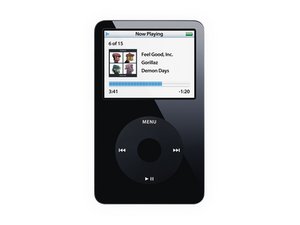
Model A1136 / 30, 60, or 80 GB hard drive / black or white plastic front

Icon shows "charged" when not plugged in

Here is another problem that is new on my iPod (I just don't know what's up with it, there are so many failures):

The icon in the upper right corner shows that the iPod is fully charged, the icon with the plug that follows the flashicon, but the iPod isn't plugged in!

So what do I have to do? Anyone an idea?

답변되었습니다! 답변 보기 저도 같은 문제가 있습니다

좋은 질문입니까?

점수 1
댓글 달기

답변 2개

선택된 해법

Hi,

thanks for your answer, but these steps didn't fix it.

So I just tried to plug it in and use the windows' "hardware soft removal" (I don't know if it has this name in english) in the taskbar the lower right corner, and it worked!

이 답변이 도움이 되었나요?

점수 0

댓글 1개:

That's great! I suggest accepting your answer just to close the question

댓글 달기
가장 유용한 답변

Hold the center button and menu button for several seconds to reset the iPod, if that doesn't work try toggling the hold switch (leave it off when done). If both fail, try plugging into a computer and restoring the factory settings. If all fails, wait for it to run out of charge then charge it again, then turn it on.

이 답변이 도움이 되었나요?

점수 2
댓글 달기

답변을 추가하세요

[deleted] 영원히 감사할 것입니다.
조회 통계:

지난 24시간: 1

지난 7일: 5

지난 30일: 16

전체 시간: 1,694