
주요 콘텐츠로 건너뛰기
수리 커뮤니티 가입 - 계정 만들기

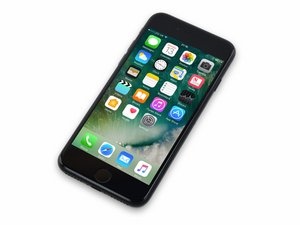
2016년 9월 16일 출시. Model 1660, 1778. GSM 또는 CDMA / 32, 128 또는 256 GB / 로즈 골드, 금색, 은색, 검정색, 칠흑색으로 제공됩니다.

DFU mode timeout during software extraction

I'm trying to restore an iPhone 7 that is stuck on the connect to iTunes, but iTunes says there is an error and it can't connect. I tried putting the phone into DFU mode and it connects just fine so I start the restoration process but the iPhone will only stay in DFU mode for about 1 minute before restarting and messing up the restoration. Anyone know how to fix this? Thanks in advance!

이 질문에 답하기 저도 같은 문제가 있습니다

좋은 질문입니까?

점수 1
댓글 달기

답변 3개

The problem is the iOS file is huge, and it takes too long to download, and DFU mode is impatient.

To fix this issue, first download the iOS IPSW from alink here.

Now, open iTunes and put your phone back into DFU mode.

Instead of straight clicking on the "RESTORE" button,

• on a PC, hold SHIFT, and then click "RESTORE", and select the file you downloaded.

• on a MAC, hold OPTION, and then click "RESTORE", and select the file you downloaded.

This will immediately extract and upload iOS to the phone before it leaves DFU mode.

이 답변이 도움이 되었나요?

점수 0

댓글 3개:

I was able to figure it out. I managed to get the phone in regular recovery mode and restore from there. DFU mode now works normally, so I'm not really sure what the issue was before.

Nick rose how did you manage to sort it bud,even tho I've downloaded file without itunes,I'm still timing out at the extracting arghhh

Just had the same issue, Restore only updating OS not erasing settings e.g. lock code, so tried DFU mode, iTunes timing out of DFU mode every time during update. Went back to try simple Restore one last time and it magically worked, settings and lock code are now gone, not sure why but happy!

댓글 달기

You can just disconnect the phone and iTunes will continue download the OS. When it’s done, re-connect, re-enter DFU, and do the restore.

이 답변이 도움이 되었나요?

점수 0
댓글 달기

reinstall iTunes, when prompted if you rather: 1 uninstall and reinstall iTunes or 2 repair itunes. Repair itunes then try dfu reset. worked for me

이 답변이 도움이 되었나요?

점수 0

댓글 1개:

iTunes is part of the OS and has been replaced with the Finder for purposes of restore in newer systems anyway. It can not be uninstalled.

댓글 달기

답변을 추가하세요

Nick Rose 영원히 감사할 것입니다.
조회 통계:

지난 24시간: 10

지난 7일: 15

지난 30일: 30

전체 시간: 9,282

