주요 콘텐츠로 건너뛰기

Repair and disassembly guides for Epson printer. The company was founded in 1942 as Daiwa Kogyo, Ltd., but merged with another company in 1959 to create Suwa Seikosha Co., Ltd.

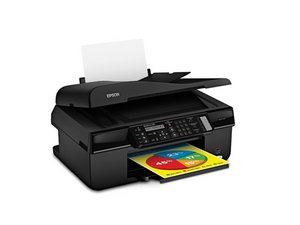
Scan XP-200 not run

Hi,

I have this scan since many years. It ran perfectly, but today I open it (The classic Epson program) and it open after 10 minutes.

I try to do a scan preview...15 minutes...I arrive to create a PDF, but it's impossible to do another document.

I uninstall all, I reinstall the utility, but now also the Win 10 scan utility can't find the scan.

If I try to search the scan with the Epson config utility, the program find the scan in the wifi network.

What can I do?

답변되었습니다! 답변 보기 저도 같은 문제가 있습니다

좋은 질문입니까?

점수 0
댓글 달기

답변 2개

선택된 해법

Sorry you weren't too clear.

Did you download the latest Windows 10 drivers from here:

https://epson.com/Support/Printers/All-I...

The drivers that came on the CD originally with the scanner will likely install, but not work with Windows 10.

이 답변이 도움이 되었나요?

점수 1
댓글 달기

Hi,

Sorry for my English.

I already downloaded the W10 drivers. I already scan a document 3 months ago (with W10), all was ok, yesterday no.

I uninstall, I downloaded the drivers, but the communication between the computer and the scan it's impossible and the Epson Scan utility, open after 5 minutes, but I can't scan.

이 답변이 도움이 되었나요?

점수 0
댓글 달기

답변을 추가하세요

Francesco 영원히 감사할 것입니다.
조회 통계:

지난 24시간: 0

지난 7일: 0

지난 30일: 5

전체 시간: 400
