
주요 콘텐츠로 건너뛰기

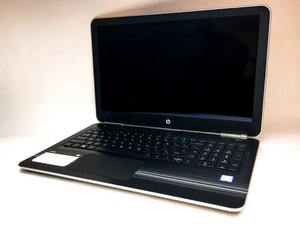
HP released this ergonomic laptop (model number 15-au123cl) in October 2016. It features Windows 10 and a touch screen.

Laptop itsnt Turning on, only giving black sreen

Yesterday my laptop said it needed to be restarted and would do so by its self while i was using it. Since then it hasn’t worked. When I turn it on I see the hp sign and the loading symbol underneath. It then goes to a black screen and recently it has showen me the log in page but hasn’t stayed around long enough to allow me to log in. It just goes back to the black screen. I donno what to do Nothing I’ve looked up has worked…

이 질문에 답하기 저도 같은 문제가 있습니다

좋은 질문입니까?

점수 0
댓글 달기

답변 1개

First. Get to recovery mode (press ctrl alt del when the loading circle appears or turn your pc off when it appears twice)

Advanced > advanced > boot options (or similar, can’t remember by detail) > safe mode

Tell me if it works

이 답변이 도움이 되었나요?

점수 0

댓글 1개:

It just went to blue screen which said hibernating with a loading circle underneath. I left it for a number of hours and nothing happened

댓글 달기

답변을 추가하세요

Isabelle 영원히 감사할 것입니다.
조회 통계:

지난 24시간: 0

지난 7일: 0

지난 30일: 0

전체 시간: 221