
주요 콘텐츠로 건너뛰기

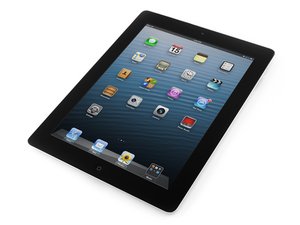
Third generation of iPad with Wi-Fi, released on March 16, 2012. Model Number A1416. Repair requires heating and careful prying.

replaced battery-now touch screen does not work

I watched and followed the video on replacing the battery. I’m convinced that none of the connectors were damages and have all been put back in correctly. I’ve reset the ipad3 multiple times and redone all the connectors multiple times but the touch screen will not respond to touch. I see the display …but no touch. Any ideas?

이 질문에 답하기 저도 같은 문제가 있습니다

좋은 질문입니까?

점수 1
댓글 달기

답변 1개

No touch means the digitizer isn’t working. It’s connected to the clear glass part of the display, separate from the LCD underneath. The only way the digitizer wouldn’t be working is if the cable or connector were damaged or not connected properly.

Bad news, Bud. I think you have to take it apart again.

이 답변이 도움이 되었나요?

점수 0

댓글 2개:

I wish I had another ipad to test the digitizer .... is the digitizer the only cable that could be the issue ? Is there any way the new battery could cause this ? (i.e. is it worth putting old battery back in?) If it still doesnt work ..should I buy a new one off of ebay ?

A new new digitizer is only $19 from ifixit.

iPad 3/4 Screen Digitizer

I would probably just try replacing it and see what happens.

댓글 달기

답변을 추가하세요

tim ocallaghan 영원히 감사할 것입니다.
조회 통계:

지난 24시간: 0

지난 7일: 1

지난 30일: 5

전체 시간: 131