
주요 콘텐츠로 건너뛰기
수리 커뮤니티 가입 - 계정 만들기

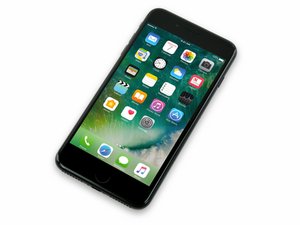
2016년 9월 16일 출시. Model A1661, A1784, 또는 A1785. 32, 128 또는 256 GB 환경 설정 / 로즈 골드, 금색, 은색, 검정색, 칠흑색 및 (Product)빨간색으로 제공됩니다.

Unable to Eject SIM Tray

iPhone 7 Plus SIM tray will not eject using a SIM card eject tool or a paper clip. Applying a considerable amount of force does not produce any indication that the tray will eject.

The tray is flush with the device and there is no bend to the device body.

Paperclip can be inserted ~4x further into the SIM tray eject hole when compared to an iPhone 7 with functional SIM tray ejection.

I see there is a SIM Eject Lever Replacement guide for the iPhone 6, but it is not clear to me if the same guide would be applicable for the iPhone 7 Plus.

이 질문에 답하기 저도 같은 문제가 있습니다

좋은 질문입니까?

점수 2
댓글 달기

답변 1개

가장 유용한 답변

To me it sounds like your iPhone 7 card spring is stuck in the eject position or broken. Broken doesn’t seem right to me, because those levers are metal. But to reset the card spring, you would need to open the device. Having the device opened and taking a picture of the sim card spring would help with this. Do you think you’re able to do that? Only reason is because card spring can’t be fixed from the outside, and getting a visual on the interior will allow us to know what may be the issue. Going to try and find a tutorial for you, because the 7 is pretty different from the 6.

Update: Im trying to find a tutorial, but I can’t find one.

Now that I think of it, there can be a few things wrong, but only one is your issue, but first let’s just see what the pictures look like from the top side of the board without removing the logic board.

iPhone 7 disassembly guide: iPhone 7 분해도

Note: stop at the end of step 6 then take a picture

이 답변이 도움이 되었나요?

점수 2

댓글 2개:

Thank you for answering.

There is a SIM currently inside the device and I need to replace it.

Step 11 of the iPhone 7 (not Plus) teardown guide gives an idea of how the eject lever works:

iPhone 7 분해도

Update:

Thanks again. I will post the pictures here when I have taken the device apart.

Ok awesome! Going with an Apple authorized service provider is not a bad idea. Also the 7 Plus tutorial is one of the worst tutorials on here, so stick with the 7 tutorial only for better explanation and pics. If you have questions, feel free to ask them and i'll be here.

댓글 달기

답변을 추가하세요

William 영원히 감사할 것입니다.
조회 통계:

지난 24시간: 0

지난 7일: 2

지난 30일: 12

전체 시간: 8,054