주요 콘텐츠로 건너뛰기

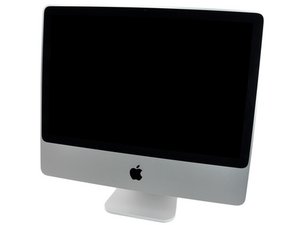
Model A1224 / Mid 2007 및 Early 2008 / 2, 2.4, 또는 2.66 GHz Core 2 Duo 프로세서

How to run diagnostics

Diagnostics wont run tried many of the different ways like command D, holding D. Not sure how it worked with an old iMac like this one. Was given to this by a friend and trying to fix a loud fan and unresponsive booting.

답변되었습니다! 답변 보기 저도 같은 문제가 있습니다

좋은 질문입니까?

점수 0
댓글 달기

답변 1개

선택된 해법

Can you tell us what system you are running? Also the fan issue was on later models, so I'd like to be sure we know your exact machine. The serial number is on the bottom of the stand, please go here and plug it in and tell us what you have: https://everymac.com/ultimate-mac-lookup...

UPDATE 4/27/19

Now that you have the Snow Leopard install disk, reboot with the disk in and hold down the C key. Go to the second page of the installation where the pull down menus appear. Go to Utilities > Change Password and change the password.

UPDATE 5/1/19

In the same way you got to the password change, go to Disk Utilities and run it. The repair partition is on much later systems. Personally I would also use Disk Utilities to a Secure reformat and erase of the drive using the write 0's option to map out any bad blocks. Format it GUID and Mac OS X Extended, then install the system and set up your user account.

이 답변이 도움이 되었나요?

점수 4

댓글 19개:

I have the "Apple iMac "Core 2 Duo" 2.4 20-Inch (Al) Specs"

Do you have the original system installation DVD? What OS X are you running? Do you have an external drive you can use to put a system on?

I do not have the original system installation DVD, this was given to me by a friend who was given by a friend in that it did not work. The OS running is El capitan and I do not have a external drive maybe I do have one lying around but I doubt it. I only have usb around

I also been trying to wipe the drive as well

I think I lied I think I'm running snow leopard it says Mac OS x 10.6.8 (10K549)

댓글 14개 더보기

댓글 달기

답변을 추가하세요

JohnnyS 영원히 감사할 것입니다.
조회 통계:

지난 24시간: 0

지난 7일: 4

지난 30일: 9

전체 시간: 410