
주요 콘텐츠로 건너뛰기

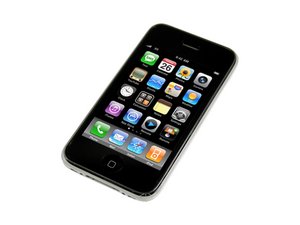
처리 속도가 빨라진 iPhone 3G 개선 버전. 이 기기의 수리는 3G와 유사하며 간단한 스크루드라이버, 비집는 도구가 필요합니다. 모델 A1303 / 16GB 또는 32GB 용량 / 검정 또는 흰색 플라스틱 뒷면.

How can I repair a proximity sensor?

I followed the directions to repair the proximity sensor on an iPhone 3GS, but when I put the phone back together, the problem persisted: my phone screen remains on when I hold it to my face during a call. I repaired the glass over the screen a couple weeks ago, and since then the proximity sensor has not functioned. During the repair of the sensor, I had difficulty getting the metal piece covering the sensor up, since I don't have an automotive tool. I used a screw driver, and upon pulling out the sensor and putting the new one back in, the entire piece seemed less secure. Is there a way to be certain that the sensor is the problem? Should I look at other alternatives?

답변되었습니다! 답변 보기 저도 같은 문제가 있습니다

좋은 질문입니까?

점수 -1
댓글 달기

답변 3개

선택된 해법

You may have damaged the new Flex Cable #3, and need a new one. Or the new Cable is fine, but not installed correctly. The metal cover bracket that holds the Cable #3 should fit back very securely and tight, so maybe it is not seated down right and interfering with Cable #3 function. If everything is perfect with Cable #3 you may have damaged the #3 connector on the Logic Board. Also the sensor hole on the glass screen may not blocked or not right. That's a lot of things for you to consider. Also when repairing 3GS make sure the iPhone is OFF.

이 답변이 도움이 되었나요?

점수 1
댓글 달기

Make sure your screen doesnt look like this:

http://hectordtruong.blogspot.com/2011/0...

Some digitizers have an extra dark sensor and this blocks the function of the proximity sensor. You could have easily damaged the ribbon as well, or received a defective one. Remove it, and replace, and try again.

iPhone 3GS Proximity Sensor Ribbon Replacement

이 답변이 도움이 되었나요?

점수 1

댓글 2개:

@hectordtruong:

I am unsure about how securely the sensor cable fit back in, but now that you mention the digitizer, I did notice that the three purple holes in the new digitizer I have are considerably darker than the the ones in my original iPhone digitizer. Is there a way I can fix this problem without buying a new digitizer?

I have, on a customer's phone. It was sent to me with inferior parts. Instead of charging them $50 bucks to replace it, I did this fix for free. They were never happier.

댓글 달기

you can test the auto-Brightness. If this dont work it is the proximity sensor

이 답변이 도움이 되었나요?

점수 0

댓글 2개:

What you can do is scratch away at those sensors with a sharp tool and take a black sharpie and fill it in. The sharpie will provide enough light through, yet make the screen look black from the front. Email me if you have more questions or post here.

Have you ever tried this before? I guess I have nothing to lose

댓글 달기

답변을 추가하세요

Gabriel 영원히 감사할 것입니다.
조회 통계:

지난 24시간: 0

지난 7일: 0

지난 30일: 15

전체 시간: 3,432

