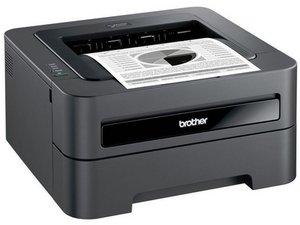
How can I fix DCP-J100 printer Clean unable 32 error?
I can print use my printer.It’s show error message ”Clean Unable 32” .I can scan anything use this printer.But I can’t print .Please help me to fix this issue.
좋은 질문입니까?
점수
1

평판: 13
 1
1
 1
1
I can print use my printer.It’s show error message ”Clean Unable 32” .I can scan anything use this printer.But I can’t print .Please help me to fix this issue.
좋은 질문입니까?

평판: 98.1k
417
296
 158
158
**Read: I know this since I use these printers to scan**
Almost any time you see the Clean Unable error on a Brother, it’s either mechanical in the sense a motor has failed or the waste ink pads are full. The electronics usually do not fail and it tends to be waste ink in most inkjets, regardless of the manufacturer. To rule out a glitch, refer to these troubleshooting steps.
You have one of the lucky few where you lose the print mech, but it stays functional 99% of the way it was before, outside of the on printer copy funtion (more on that later). While it’s days as a printer are over without a new pad (generally totals out the printer) and knowing how to access maintenance mode (and not kill the printer; don’t take chances), it’s still a viable scanner. I draw the line when the print mech is lost to waste ink since it can cause unwanted errors if it tries to run a cleaning cycle, but if the machine has caught this error it will probably not create an issue.
While the fax will continue to work, it relies on the printer part you lost with the waste ink pad being saturated. If you use it, get another printer from Brother that can take the stored faxes (if you need them) and consider the fax dead as well.
이 답변이 도움이 되었나요?
Troubleshooting steps don't contain anything
지난 24시간: 0
지난 7일: 2
지난 30일: 16
전체 시간: 2,311
