
 2
2  1
1 Water Damage to LCD Screen
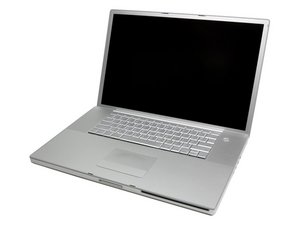
Macbook Pro 17'' Silver A1212 Non-Unibody
Dear iFixIt Community,
Here's the deal:
- Spilled four-loco energy drink on laptop screen
- Dried out for 1 week (without electricity or battery)
- Colors were hazed and over-saturated in some areas (sometimes screen would work perfectly though)
- 1 Week later screen turned almost white (DVI cable to external monitor works though)
- Replaced LVDS Display Cable - no change
- Solution is either a new inverter or LCD Screen
What does everyone think?
좋은 질문입니까?
점수
-1

 2.6k
2.6k 
댓글 1개
Some extra info:
When I remove the inverter cables from the logic board, the screen stays exactly the same, which makes me think it isn't the inverter but is in fact the backlight of the LCD screen.
Now I can see the screen but it is extremely dark (you have to have a strong light on to barely make out what's displayed).
With the lights off, the backlight of the apple logo on the back of the screen barely glows as well. All 3 of these things make me think it needs to be a new LCD Screen (bad backlight) instead of an inverter.
davidmbitton 의