
주요 콘텐츠로 건너뛰기

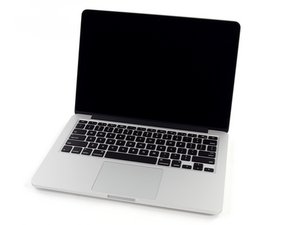
모델 A1502 / 2.4, 2.6 또는 2.8 GHz 듀얼-코어 Intel 프로세서 / 2013년 10월 출시

Retina working, then not working randomly...

Hi, im desperate at this stage, i have a macbook a1502, i don't know what else to do? the laptop was working fine, then i closed the lid, opened in 2 days later, nothing. just a green light on the charger. i took it apart, and when i was putting it back together again, it magically came on again on it's own, i fully tested it, perfect! turned it off and on again, lovely, again, closed the lid, opened it 2 days later, and now im in the same situation again... i have power on all the rails I've checked... and green light on the charger... any ideas? thanks

이 질문에 답하기 저도 같은 문제가 있습니다

좋은 질문입니까?

점수 0
댓글 달기

답변 1개

가장 유용한 답변

Sounds like you have a bad Hall detector on your logic board. Its located on the other side of the logic board between the ports

Block Image

Using a paper clip rub it along the display along edge until you locate the magnet on its face slowly lower the lid so you can identify the location of the Hall sensor (don’t fully close the lid!) Now using a magnet you should be able to fire it off without closing the lid. Sliding the magnet on and off you should get the screen to turn on and off (sleep mode)

이 답변이 도움이 되었나요?

점수 1

댓글 12개:

Hi man, thanks so much! when im magnetizing something, and then taking the board out and touching the sensor when i plug it back in sometimes a green light comes on and then goes orange and the fan starts spinning, but after about 15 seconds it starts going faster then stops, and then nothing, and sometimes i'm just getting a solid green light lol help!

Sounds like you have a different problem then! Thats the MagSafe connector which should change between Amber & Green depending on the batteries charge and your usage.

Lets backup here... Get your system running again and this time lets get an idea on what your battery and charger are doing. Install this gem of an app CoconutBattery then take a snapshot of the main window and post it here for us to see 기존 질문에 이미지 추가하기

In the mean time review this Apple T/N to make sure you have the correct charger, your cable is not damaged on the charger and lastly the MagSafe connector on both the cable and the system are in good shape: Apple Portables: Troubleshooting MagSafe adapters

OK an update on that, when i'm completely removing the board, touching the sensor with a magnet then plugging it back in, if i only plug in the power the light goes green then orange and starts spinning the fan, if i quickly plug in the screen it comes on, but then after a few seconds the fan spins down and it goes off again, any ideas?

But then after the screen turns off again, the magsafe light is only orange and won't change for a while, then it turns green and stays green... if i want to get the screen to turn on for a few seconds again, i have to unplug everything, and plug back in the power first and then the magsafe...

sorry dan i cant get it running long enough to get into the os to instal coconut

댓글 7개 더보기

댓글 달기

답변을 추가하세요

Shabbon 영원히 감사할 것입니다.
조회 통계:

지난 24시간: 0

지난 7일: 3

지난 30일: 5

전체 시간: 78
