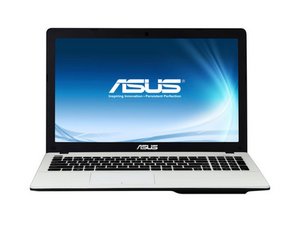
Can't access bios from start-up
I have disabled “secure boot control” and enabled “launch csm” and PXE etc but can’t access bios using F2 when starting PC any help would be much appreciated.
좋은 질문입니까?
점수
0

I have disabled “secure boot control” and enabled “launch csm” and PXE etc but can’t access bios using F2 when starting PC any help would be much appreciated.
좋은 질문입니까?

평판: 521.1k
 11
11
 398
398
 1.5k
1.5k
Hi,
If you have Win 10 installed, try accessing the BIOS area through Windows.
Here’s a link that shows how to do this.
이 답변이 도움이 되었나요?
Thanks - but I need to be able to access BIOS ( e.g. pressing F2 at start-up) in case
it doesn't recognise new SSD .
Hi,
Fair enough but perhaps if the old HDD with OS was still installed in there you could alter the BIOS settings before you insert the new SSD so that you can then access it at startup.
You may also want to edit your question to mention about the SSD in case someone else gives similar answer to mine without reading your comment here. Saves on repeats
Sorry - hadn't realised there had been a follow-up answer. Thanks that would work - but I think I found a different solution - on windows 8.1 - windows key - then type "power button" - select " Change settings that are currently unavailable" - turn off fast start-up then bios available via F2. Thanks for taking time out to answer my question.
Oh yes. Fast Startup! That one has tripped me a few times.
지난 24시간: 1
지난 7일: 6
지난 30일: 21
전체 시간: 1,238
