
주요 콘텐츠로 건너뛰기
수리 커뮤니티 가입 - 계정 만들기

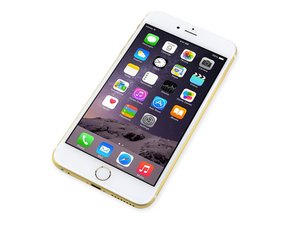
2014년 9월 19일에 출시된 이 5.5” 스크린 iPhone은 iPhone 6의 큰 버전입니다.

Partial touch not working

Hi,

I have a problem with my iphone 6 plus, again :(.

I have a horizontal line where the touch does not work(like in the photo).

I replaced Meson and did the M1 jumper and it did not changed this behaviour. I noticed that on j2019 on pin 34 on diode mode measuring I get 0L(1.380v on known good board).

Do you think that a bad Cumulus can do this to the phone?

Thank you!

Block Image
답변되었습니다! 답변 보기 저도 같은 문제가 있습니다

좋은 질문입니까?

점수 0
댓글 달기

답변 2개

선택된 해법

A bad cumulus would not cause this. Neither would the 5V7 line on the LCD connector.

Here is a list of things that I have run into over the years for this problem, after I have confirmed it is not the screen.

·         Touch FPC

·         Resistors around touch FPC

·         Bad batch Mesons

·         Mesons not re-balled properly

·         Floating solder balls

·         Oxidised pads

·         Disturbed trailer park caps

This can be a very frustrating problem. You will need to diode all the touch FPC pins and the pads under Meson and compare the readings to a known good board.

이 답변이 도움이 되었나요?

점수 2
댓글 달기

Hello,

I repair, phones, but don’t use the technical terms, so not sure if this answer will help!

Have you tried replacing the full screen assembly? If not, I highly recommend doing that. If that hasn’t done anything, there may be long screw damage or water damage to the logic board, in which case you will need to do a board level repair.

Hope this helps!

이 답변이 도움이 되었나요?

점수 0

댓글 2개:

Hello and thanks for the answer! I already tried a known good screen assembly and it behaves the same. When I replaced Meson(touch ic) I checked The screw holes and there is not a long screw damage case.

Hi,

The long screw damage is not always obvious, as a screw that is just 1mm too long can cause damage to the logic board. This can happen when replacing the bracket over the screen flex cables. Apple does this to try to prevent 3rd party repairs.

Try checking the water damage indicators - if the phone has come into contact with water they will be red. Hope you get your problem sorted!

댓글 달기

답변을 추가하세요

Andrew 영원히 감사할 것입니다.
조회 통계:

지난 24시간: 0

지난 7일: 1

지난 30일: 4

전체 시간: 123
