주요 콘텐츠로 건너뛰기
수리 커뮤니티 가입 - 계정 만들기

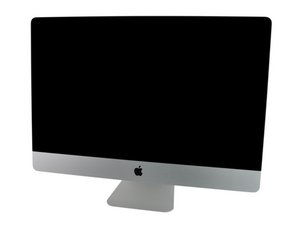
iMac Intel 27" EMC 2309 (Late 2009, Core 2 Duo 3.06 또는 3.33 GHz) ID iMac10,1, EMC 2374 (Late 2009, Core i5 2.66 GHz 또는 Core i7 2.8 GHz) ID iMac11,1

LCD thermal sensor cable broken. Options?

Block Image

Hello,

I just broke the LCD thermal sensor CABLE of my Late 2009 27” iMac.

Besides changing the heat sink, is there another option to consider?

Also, is there a way of checking if the port is damaged before doing anything else? Just in case.

Thank you

A.

이 질문에 답하기 저도 같은 문제가 있습니다

좋은 질문입니까?

점수 2
댓글 2개

Please post a few pictures of the damage 기존 질문에 이미지 추가하기.

Not sure why thing think the heat sink has any bearing here? Elbows and knees are joints but don't have direct involvement with each other.

Thank you for answering, Just put the picture online. I thought it was the name of this cable. What is the correct name, please? Thank you.

댓글 달기

답변 2개

가장 유용한 답변

Strip back the insulation on the wire and stick it in the receptacle.

UPDATE

I could not find the sensor without the heat sink but you can get it here with free shipping for under $8.00

https://www.ebay.com/itm/Apple-iMAC-A131...

이 답변이 도움이 되었나요?

점수 3

댓글 4개:

Thank your for your suggestion. Not sure if that will work because there seems to be the rest of the cable inside and I am unable to retrieve it and get the broken part in.

I thought of buying the piece of black plastic aside and breaking the other part and then follow your suggestion. But I don’t know the name of the plastic piece. Does anyone know, please?

You might be able to get a connector off of a junker heat sink which you can splice the wires. Or your other choice is to replace the heat sink assembly iMac 27" Graphics Card Heat Sink Radeon HD 4850, Apple P/Ns 661-5315 (593-1043)

See the tag on the cable? There should be a part number on it, please give us that.

@mayer - its 593-1043, I looked at my parts system ;-}

댓글 달기

Same thing here. Mine is broken right at the plug for the mainboard. Realistically if I could find the same plug off of a broken sensor, or one with the same spacing and pin size.

I'm wondering if something could be made with a couple of individual "dupont" connectors; basically I'd hot-glue them on the mainboard, and then add a second connector in-line after it for the heat-sync.

I don't want to put a lot more money into this machine, as I'm not even sure that the failure isn't in the mainboard itself (I just bought a new PSU for it). If that's the failure point I'd just sell of the rest of the internals and convert the iMac to a monitor (it's a higher resolution than the usual 27" monitors you get at the local stores).

EDIT: adding a couple pictures of the connector on the mainboard for the GPU thermal sensor.

Block Image
Block Image

이 답변이 도움이 되었나요?

점수 0

댓글 3개:

I have a couple pictures of the connector on the mainboard, but I can't figure out how to add them to a comment.

@senileotaku iFixit's software doesn't allow for pictures in comments; the closest you can come is to add them in another answer, or you could start a new question.

@senileotaku - I've converted your comment to its own answer. Go into edit mode and add in your image/s using the toolbox accessing it from the far right icon in the menu ribbon. One you add it click on it again white your insert pointer where you want to post the image ID.

댓글 달기

답변을 추가하세요

A. J. M. 영원히 감사할 것입니다.
조회 통계:

지난 24시간: 0

지난 7일: 22

지난 30일: 29

전체 시간: 289