
주요 콘텐츠로 건너뛰기

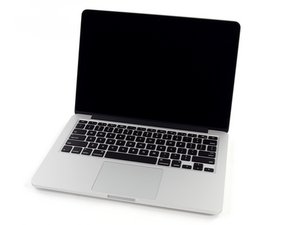
모델 A1502 / 2.4, 2.6 또는 2.8 GHz 듀얼-코어 Intel 프로세서 / 2013년 10월 출시

Is it safe not to glue in a replacement battery?

I am replacing the battery in a late 2013 MBP Retina 13”. Getting the battery unglued was a royal PITA. Is there any reason not to leave the new battery unglued, i.e. to leave the cover paper in place? Is the glue really necessary?

이 질문에 답하기 저도 같은 문제가 있습니다

좋은 질문입니까?

점수 4
댓글 달기

답변 1개

가장 유용한 답변

The problem with the rMBP chassis is there are no screw points, so you cannot bypass the double sided tape method sadly. You can probably replace it with weaker tape that comes up easier, but the thickness has to be exact or very close - as in a few mm thinner at most.

The problem is taking the factory tape off of the battery is a high risk procedure as well.

이 답변이 도움이 되었나요?

점수 3

댓글 7개:

But won't the battery be held in place by the pressure of the bottom panel? (I actually decided to just go ahead and try this and it seems to work. The battery is not rattling around or anything like that.)

@ron Having it loose is a bad idea.

You really do need to hold the battery down using the correct tape. A loose battery will stress the wire connections.

@danj If the OP changes the tape they need to do it outside and keep the notebook inside. It can probably be done but these are softfcell packs and it's easy to get wrong if you aren't technically capable.

I'd consider changing the OEM tape but I know how much I am flirting with danger. Even then I'd probably put something like Tesa tape over the original since it's so dangerous and it needs to be exact

@nick - I haven't had an issue using a bit of solvent to soften the old tapes adhesive.

댓글 2개 더보기

댓글 달기

답변을 추가하세요

ron 영원히 감사할 것입니다.
조회 통계:

지난 24시간: 0

지난 7일: 4

지난 30일: 24

전체 시간: 1,620