주요 콘텐츠로 건너뛰기
수리 커뮤니티 가입 - 계정 만들기

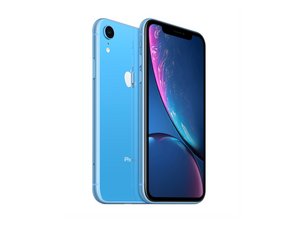
2018년 10월 26일 출시. Models A1984, A2105, A2106, A2108. GSM 또는 CDMA / eSIM, nano-SIM 또는 dual-SIM / 64, 128, 또는 256GB / 검정색, 흰색, 파란색, 노란색, 산호색, 또는 빨간색. ("iPhone 10 R"로 발음합니다.)

Screen cracking upon replacement...multiple times!

Has anyone run into the LCD cracking upon replacing? I’ve gone through 3 now! Only happens once you settle the screen completely, so it appears to be contacting something in the body of the phone… cracks in the bottom right side of the notch. The first one I encountered, it seems the FaceID cameraasemble wasn’t settled properly, next screen went in fine. But, today, I looked carefully for that, everything appeared well and settled.. but it cracked upon settling it in the exact same spot!

답변되었습니다! 답변 보기 저도 같은 문제가 있습니다

좋은 질문입니까?

점수 0
댓글 달기

답변 1개

선택된 해법

Check for frame damage, which often happens after a severe enough drop. Most drops don’t result in that, but you need to check if you dropped it and are now replacing the screen. It sounds like you missed some frame damage.

The problem with a bent frame like this is unless you have the right tools, it’s difficult to fix. If you can find a compatible gTool those work, but you can usually get away with beating on the frame if you’re careful and don’t mind a scarred final finish. I would take it to a pro if you don’t feel comfortable since you only really get one chance. That said, Apple no longer puts device specific information on the back, so you can buy a new rear housing if you’d rather not deal with the straightening process.

이 답변이 도움이 되었나요?

점수 2
댓글 달기

답변을 추가하세요

The Stem 영원히 감사할 것입니다.
조회 통계:

지난 24시간: 0

지난 7일: 3

지난 30일: 10

전체 시간: 282