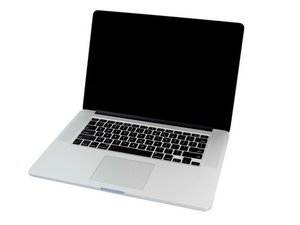

My New Battery upon input is making Sparks?
So, I recently purchased a new macbook battery, and removed the old one with ease. After using the adhesive to remove glue and the like, I also added some alcohol to wipe the area and clean up any additional adhesive.
When I went to put the new battery in, I pressed the connector onto the board and while trying to lightly put the cells into place, I noticed a few sparks on the right side of the battery - I immediately stopped. A small cloud of smoke could be seen as well.
I let everything dry, and did not expect this to happen, could it be a faulty battery? Did I install the battery wrong? I figured the new one should not be doing this at all. I’m wondering if I let the battery discharge (how would I do that safely?) I could just come back to it and move it around.
What should I do to continue the installation, ( I haven’t even screwed the screws back in for the battery)?
Thanks for any assistance :)
좋은 질문입니까?
 2
2 
댓글 3개
Where did you buy the battery?
DanJ 의
@danj Right here at good 'ole Ifixit. The battery ended up not sparking anymore. But, as I tried to lightly press it down so the adhesive would stick to the bottom of the laptop I noticed fumes and the cell I had my hand on became very hot. So I stopped. Will probably just ask for a replacement.
Sal Elosa 의
Yes! That makes sense!
DanJ 의