주요 콘텐츠로 건너뛰기

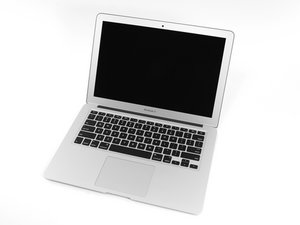
Apple의 MacBook Air 13" 2015년 5월 업데이트에는 5 세대 Intel Core i5 및 i7 프로세서가 성능과 배터리 수명을 약간 향상시켰습니다.

Removing the lower case of an early 2015 MacBook Air

I need to repair what I’ve identified as an early 2015 MacBook Air (Model A1466, EMC2925). Every guide lists 10 screws to remove. However, I can only see 6: 4 on the leading edge of the front of the computer, and 2 on either corner of the hinge side.

I used a plastic wedge to pop two plastic snaps on the sides, but the hinge side won’t come apart without using a lot of force, and it seems as if I’m bending the case.

Is there something I’m missing?

답변되었습니다! 답변 보기 저도 같은 문제가 있습니다

좋은 질문입니까?

점수 0
댓글 달기

답변 2개

선택된 해법

I think you mis identified your system!

I’m suspecting you have in fact a 2016/17 13” MacBook Pro Function Key model which uses USB-C connections for the charger. It has 6 screws unlike the older 2015 13” MacBook Air or Pro systems.

Here’s a comparison of the bottom cover & the guides for each:

Block Image
Block Image

이 답변이 도움이 되었나요?

점수 1

댓글 4개:

Thanks, I figured I must have.

I use everymac.com to identify systems, and normally they’re spot on. However, all that came up when I entered the information - including the serial number - was a MacBook Air.

Any thoughts on a better way of identifying the model of the computer if it won’t turn on?

I would focus in on the ports How many and if you can identify the type of ports.

So in your case if I'm correct you should have two USB-C ports (Thunderbolt 3). If your system has more or different what are they?

If you have two USB-C ports then you either have a 2016 or 2017 model. At this point its just minor differences the diagnostics are the same.

To figure out what's wrong can you tell us a bit more. Are you using the original charger the system came with as well as the cable. Do you get any response on the display? I find I need a USB-C power meter to figure out if the system is getting power and what the system is taking in.

Well Dan, you're going to find this humorous. The computer I need to work on is indeed an early 2015 MacBook Air; however, I'm at my friend's home, and their family has a 2017 MBP that has the exact same exterior shell casing design! I grabbed the MBP pro thinking it was the Air. I didn't even check the Model and EMC number. That's taught me a lesson...

댓글 달기

Well, I just figured it out. After removing the 6 screw, the case is actually removed by sliding the bottom away from the hinge side.

이 답변이 도움이 되었나요?

점수 0

댓글 1개:

@czjohn - check my answer as I don't think you have an MacBook Air!

댓글 달기

답변을 추가하세요

John 영원히 감사할 것입니다.
조회 통계:

지난 24시간: 0

지난 7일: 0

지난 30일: 7

전체 시간: 164
