주요 콘텐츠로 건너뛰기
수리 커뮤니티 가입 - 계정 만들기

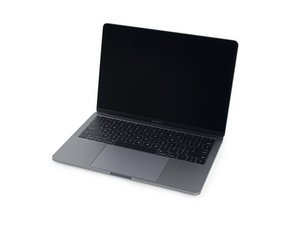
A1708 / EMC 2978 — 2016년 10월 출시, 이 기본 레벨 MacBook Pro는 (OLED Touch Bar가 아닌) 기존의 function keys를 유지합니다. Function Keys 버전은 Intel Core i5 및 Thunderbolt 3 포트 2 개를 포함합니다.

Keyboard backlight not working

Hello,

My 13” MacBook Pro late 2016 A1708, keyboard backlight stopped working.

It was working just fine, then after my laptop went to service and checking if everything was fine, it stopped working. Keys are fully functional, everything works except the backlight.

I’m not sure if it’s possible that the cable connecting it is the problem? Keyboard connection flex cable is slightly damaged from before, could this be the reason? And if so, can I simply replace it to get my backlight to work again? Or backlight for keyboard is a different cable? (Than the one under the right speaker)

Thanks!

답변되었습니다! 답변 보기 저도 같은 문제가 있습니다

좋은 질문입니까?

점수 0
댓글 1개

Hi guys, its me after a few months, i just had to wait a long time to get this keyboard backlight flex cable from ebay. This indeed solved my problem. I replaced it with a new one, and backlight as well as the full functionality of the keyboard is now restored. Love the backlight again! I hope my fix can help someone else with the same problem

댓글 달기

답변 1개

선택된 해법

The keyboard cable is replaceable! MacBook Pro 13" Retina (A1708, A2159) Keyboard Cable Unlike older systems this cable carries the fans power as well as the keyboard and its backlight power.

Replace a damaged or torn keyboard cable in a 2016 or 2017 model A1708 or 2019 model A2159 13" MacBook Pro with Retina Display and Function Keys. 이미지

제품

MacBook Pro 13" Retina (A1708, A2159) Keyboard Cable

$12.99

이 답변이 도움이 되었나요?

점수 3

댓글 3개:

Thank you for reply! Great to hear that, honestly!

I have ordered a new flex cable, and will try to change it when it arrives. I haven’t seen any similar posts about this so i will let you know if that fixed my problems for anybody else with similar one.

Another question, do i have to take out the battery cable first before doing any work? Or is it ok if the laptop is just turned off with battery connector still connected? @danj

@chris51297 - Just disconnect the battery following the first 15 Steps in this guide MacBook Pro 13" Function Keys Late 2016 배터리 교체 If you are careful you can get to the uppercase connector after removing the fan (still tricky!) Otherwise you'll need to lift the logic board off.

댓글 달기

답변을 추가하세요

Krsto Dominkovic 영원히 감사할 것입니다.
조회 통계:

지난 24시간: 0

지난 7일: 1

지난 30일: 9

전체 시간: 678
