주요 콘텐츠로 건너뛰기

Apple 컴퓨터를 무선으로 연결하고 명령하십시오.

Function Key does not work as default function

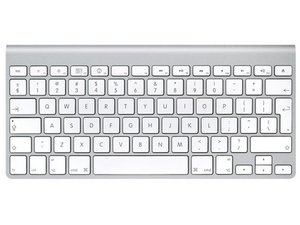
I got a used Apple Wireless Keyboard from eBay. But when I pair it with my ipad and Iphone 4, those F1...F12 does not work as default function (adjust brightness, volume, play/stop music,...). Other key (A..Z, number,...) work well.

I tried to pair the keyboard with my PC (Windows 7) and those F1-F12 still work (open Help-F1, Search-F3,...). It mean the physical button does not damage.

Please help me set those F1...F12 work with my Ipad. I am PC-Windows user, not Mac.

답변되었습니다! 답변 보기 저도 같은 문제가 있습니다

좋은 질문입니까?

점수 1
댓글 달기

답변 1개

선택된 해법

It appears the older wireless keyboards have the problem you are describing. Apple has a new Wireless Keyboard designed for use with Lion that has an additional set of keys permitting use of function keys with iPads. Link provided to the discussion. It would seem that there may be an update to the iOS for iPads that will correct the problem. All the details in the link. Good luck.

https://discussions.apple.com/thread/323...

이 답변이 도움이 되었나요?

점수 3

댓글 1개:

My keyboard is MC184LL/B, new version compatible with Lion. I found some topic talking about this new keyboard does not fully work with ipad running ios 4. Do not know whether they have any solution to fix it.

댓글 달기

답변을 추가하세요

Alex Nguyen 영원히 감사할 것입니다.
조회 통계:

지난 24시간: 0

지난 7일: 1

지난 30일: 6

전체 시간: 5,236